Exnova Login and Deposit: Secure Account Access & Funding

Follow clear, practical steps to regain account access, reset credentials, and complete a deposit using supported payment options. The overview covers common deposit methods, minimum funding and currency considerations, expected processing times, and troubleshooting when transactions fail or trigger KYC checks. Apply the recommended security checks—confirm payment details, enable strong passwords or 2FA, keep receipts, and pre-verify identity where possible—to speed up funding and protect your account.

Navigating the Exnova Login Process
How to Access Your Account with Email
Step 1: Accessing the Exnova Login Page
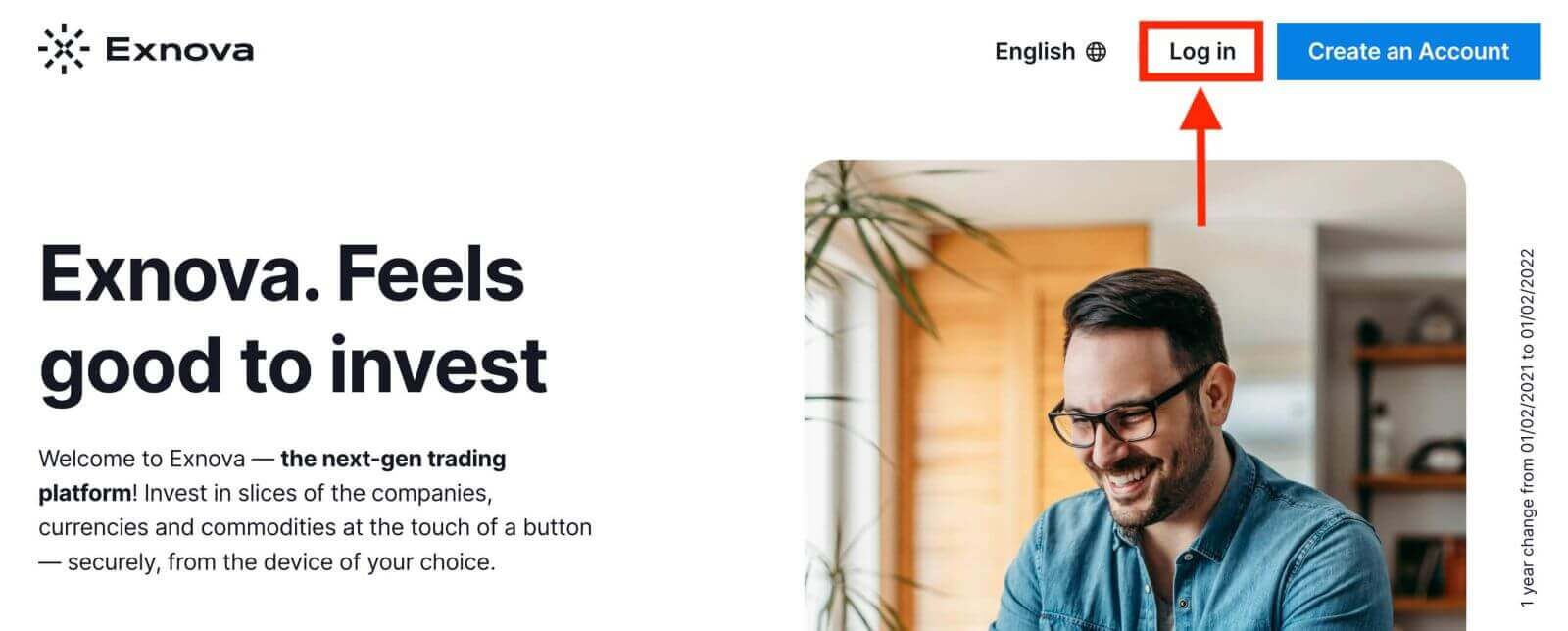
To initiate the login process, users should first navigate to the Exnova website. This can be accomplished through a web browser on a computer or a mobile device and click the "Log in" button on the top right corner of the page.
Step 2: Providing User Credentials
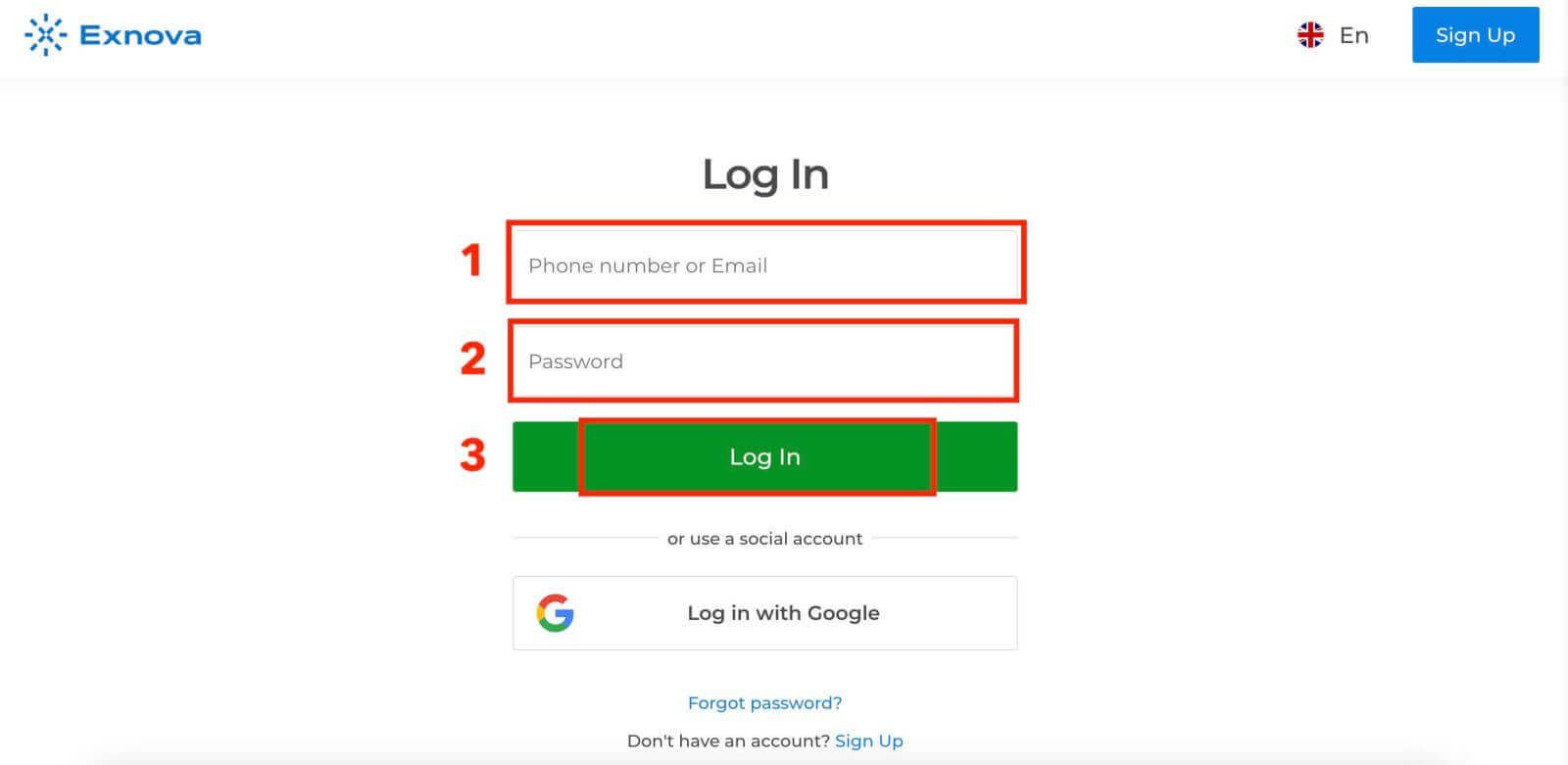
Upon reaching the login page, you will be prompted to enter your unique credentials. These credentials typically include your email address and password. Ensure that you accurately input this information to prevent any login issues.
Step 3: Navigating the Dashboard
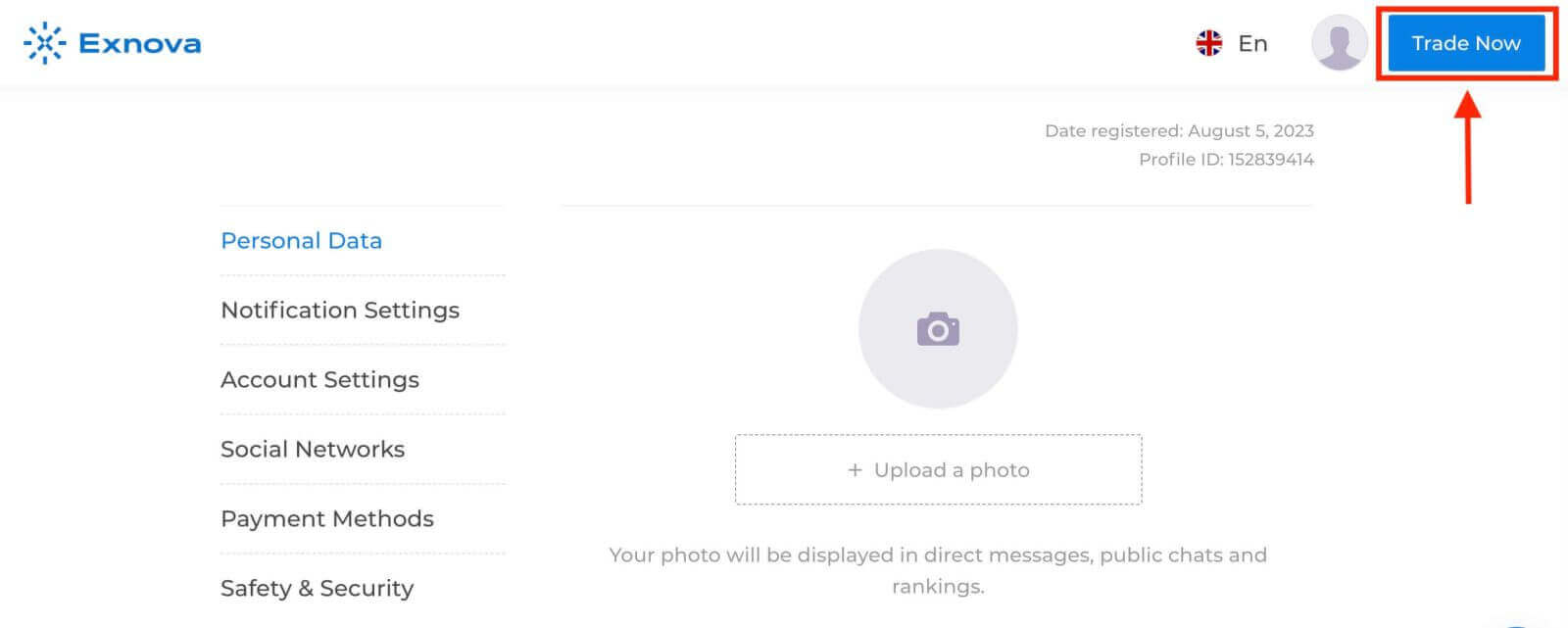
Exnova will then validate your information and grant access to your account’s dashboard. This is the central hub where you can access various features, services, and settings. Familiarize yourself with the dashboard layout to make the most of your Exnova experience. Click "Trade Now" to start trading.
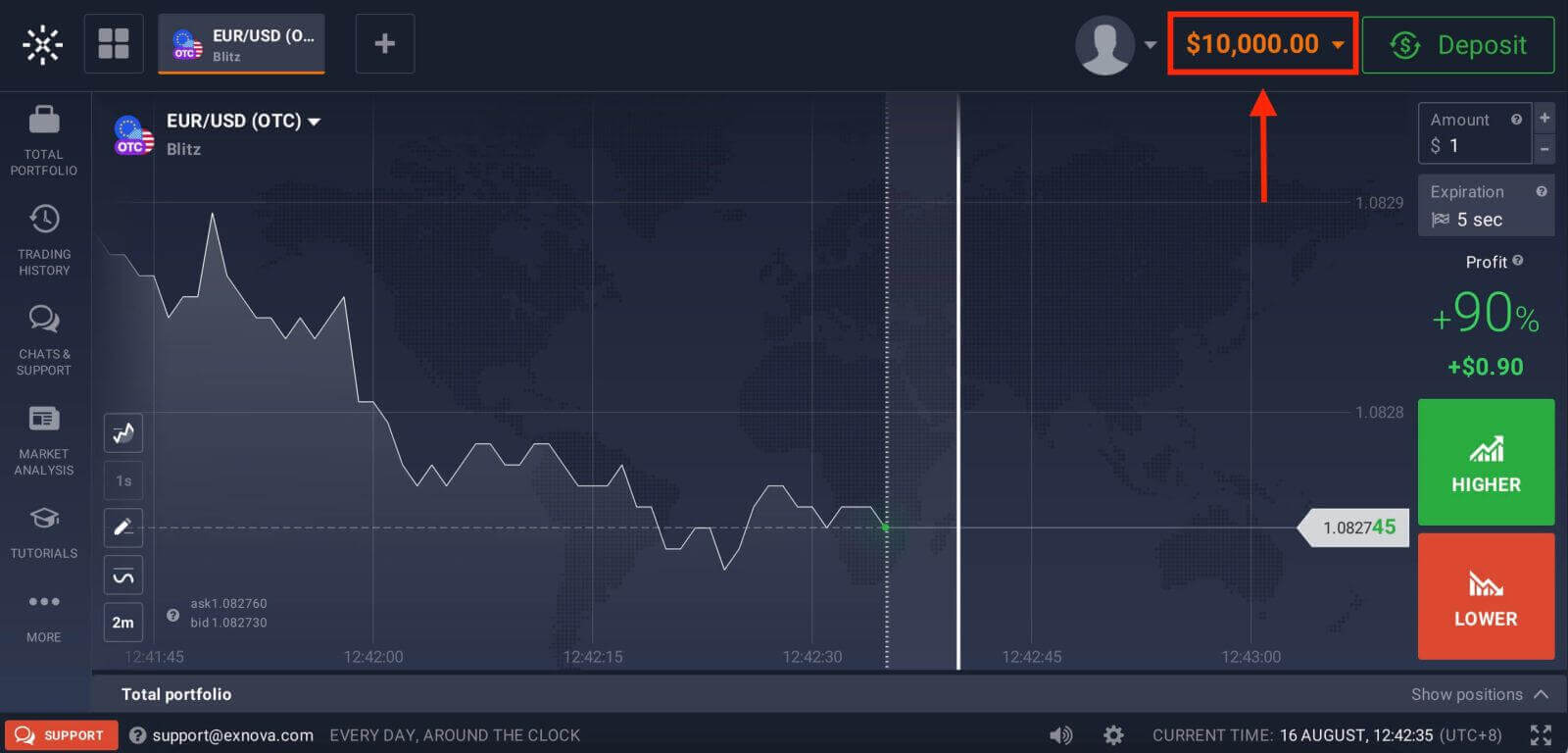
You have $10,000 in Demo Account, you can also trade on a real account after depositing. Refer to this article to know more about Deposit: How to Deposit in Exnova
How to Access Your Account with Google
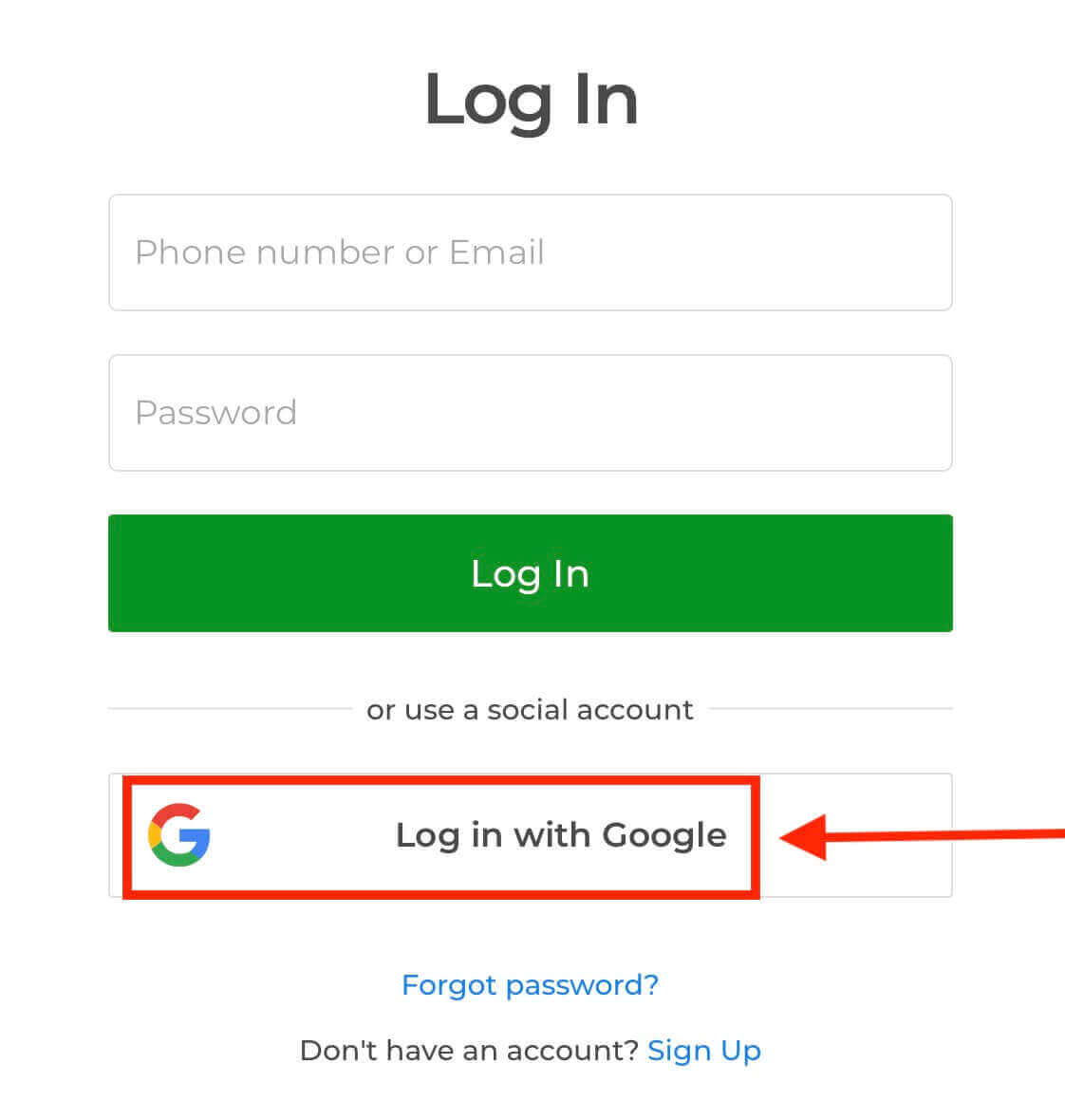
This comprehensive guide is crafted to provide step-by-step insights into navigating the Exnova login process seamlessly through your Google account.1. Click the "Log in with Google" button. This action redirects you to a Google authentication page, where your Google Account credentials will be requested.
2. Enter your phone number or email address and click “Next”. Then enter the password for your Google account and click “Next”.
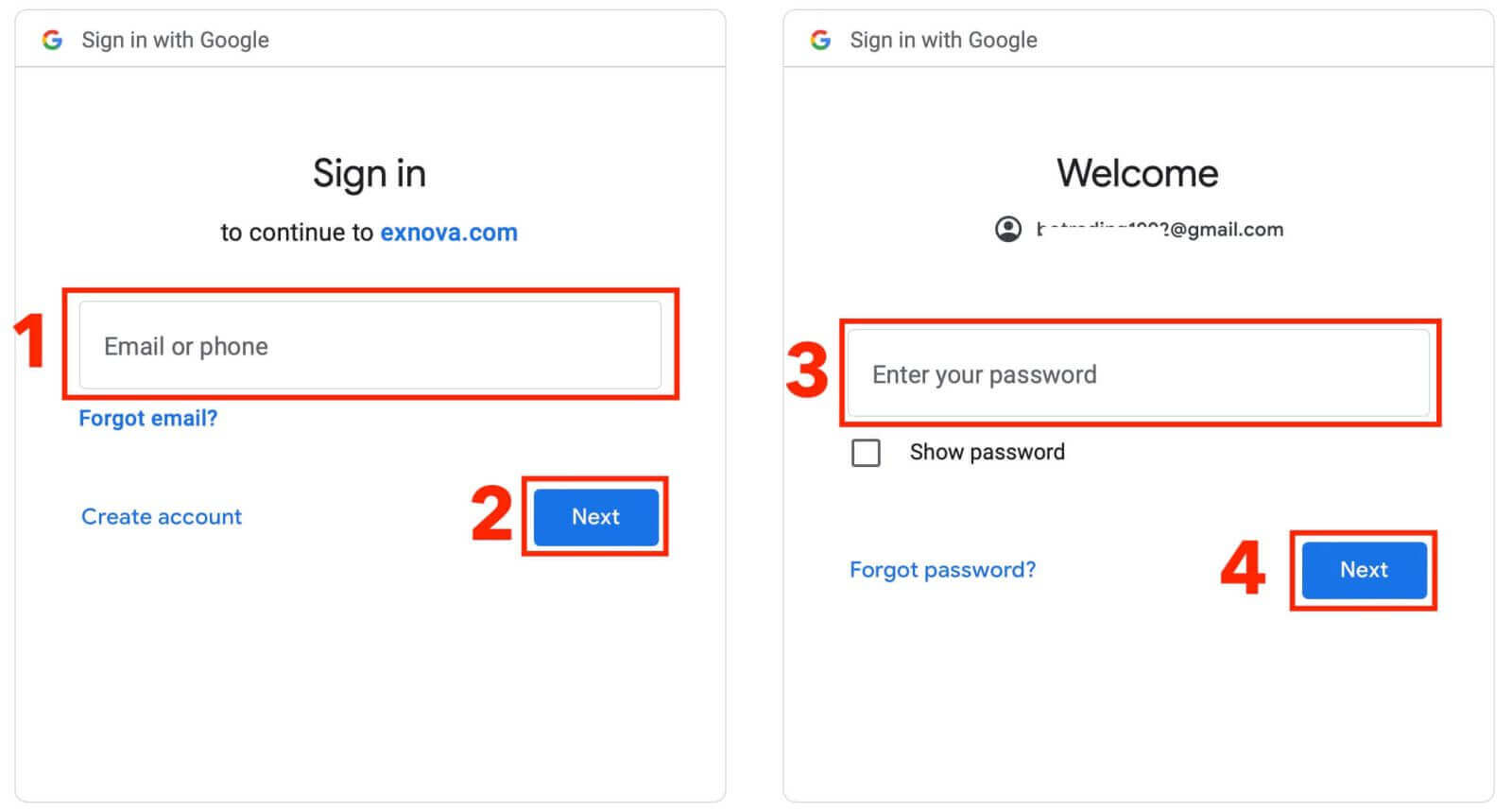
After that, you will be taken to your personal Exnova account.
Accessing Exnova via Mobile Web
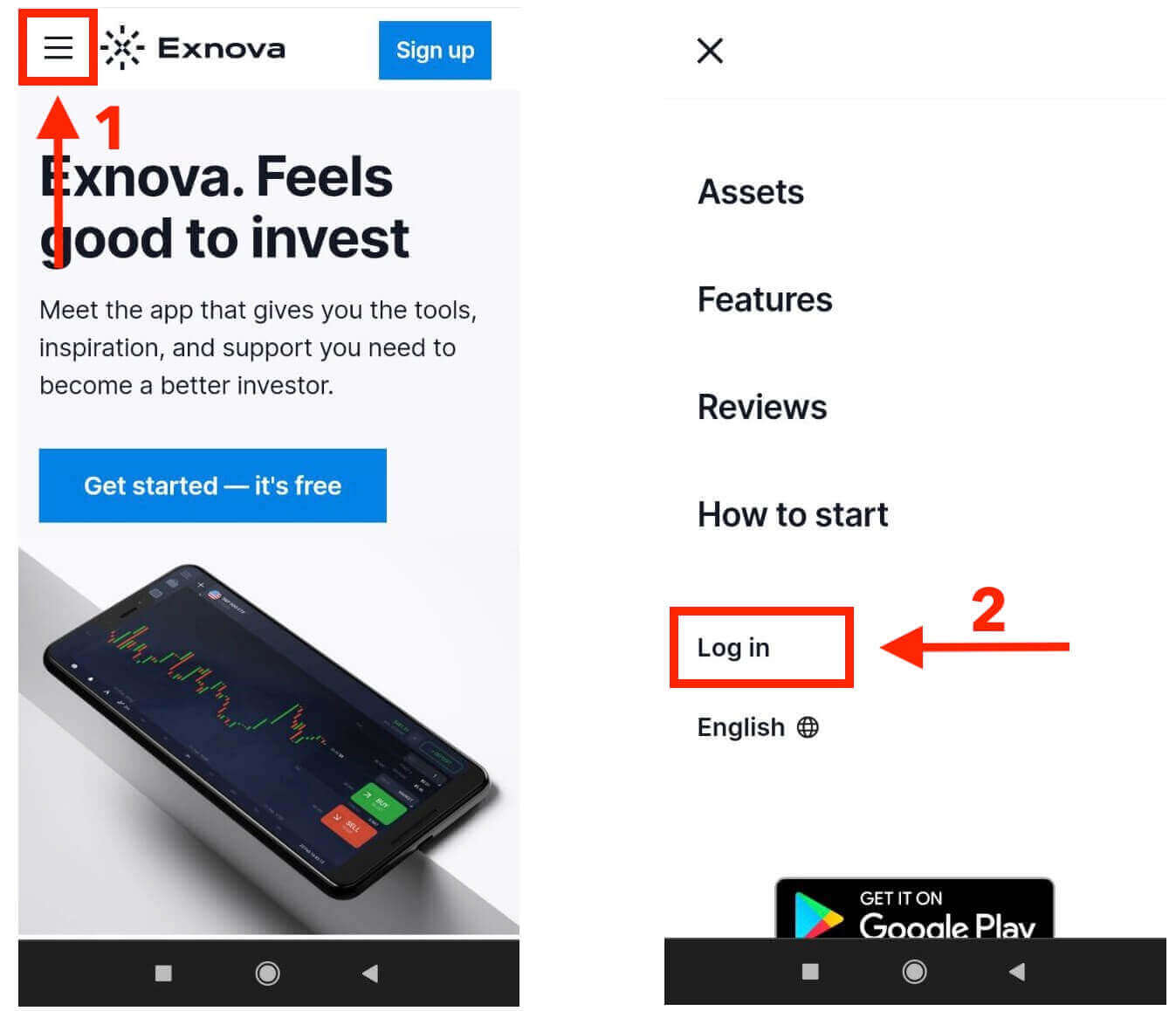
Exnova understands that mobile devices are everywhere, so they’ve made their website work really well on phones and tablets. This guide explains the simple steps to easily log into Exnova using the mobile website. This way, you can use Exnova easily no matter where you are, whenever you want.1. Begin by launching your preferred web browser and navigating to the Exnova website. On the Exnova homepage, locate "Login".
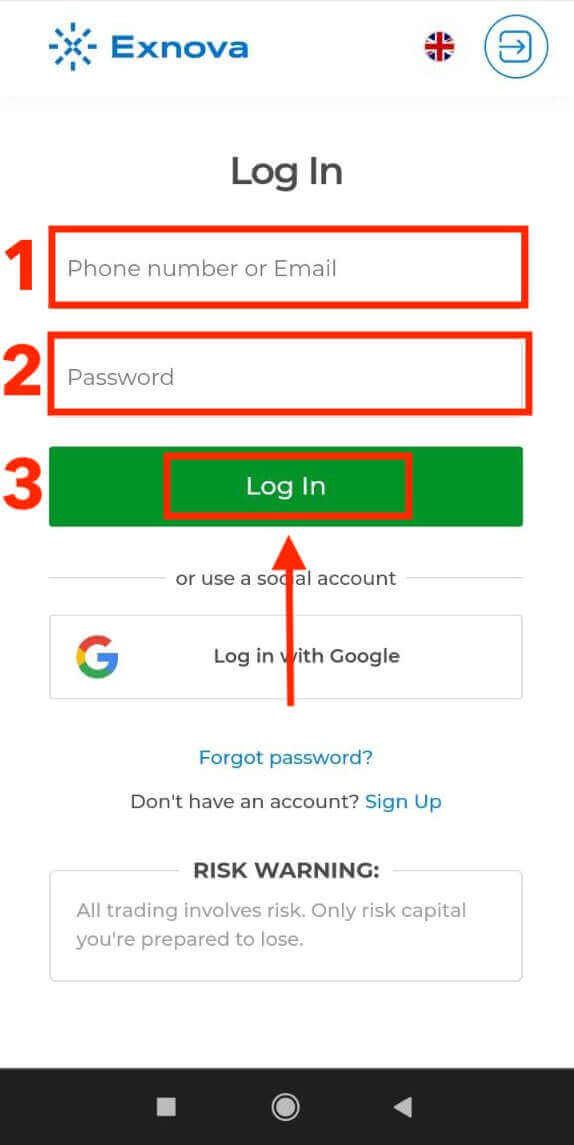
2. Enter your email and password and then tap on the “Log in” button. You can also use your Google account to log in. Exnova will validate your information and grant you access to your account’s dashboard.
Upon successful login, you will be directed to the mobile-friendly dashboard. This intuitive interface allows you to access various features and services with ease. Familiarize yourself with the layout to navigate effortlessly. Tap the "person" icon and "Trade Now" to start trading.
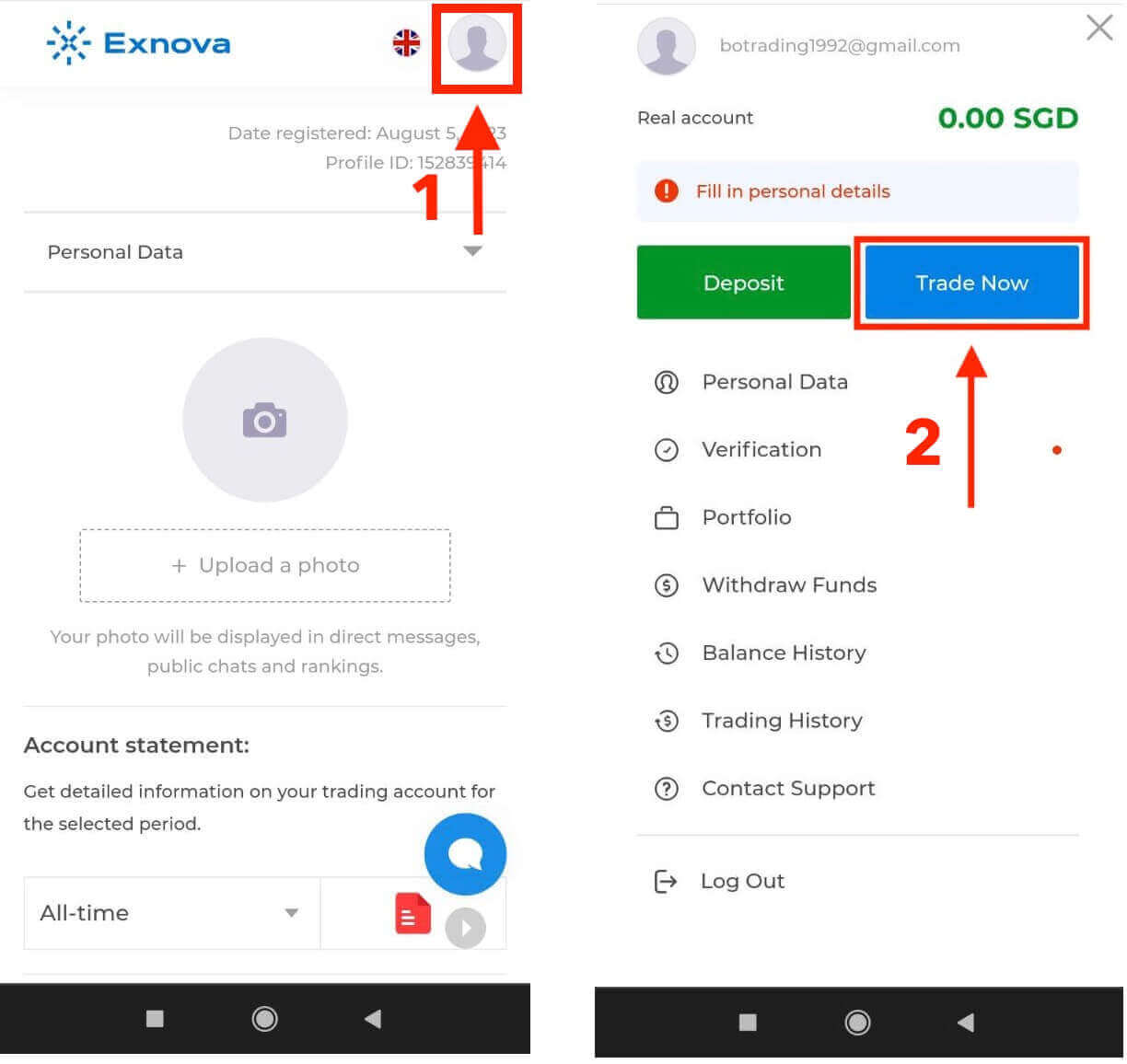
Here you are! Now you are able to trade from the mobile web version of the platform. The mobile web version of the trading platform is exactly the same as the regular web version of it. Consequently, there won’t be any problems with trading and transferring funds. You have $10,000 in Demo Account to trade on the platform.
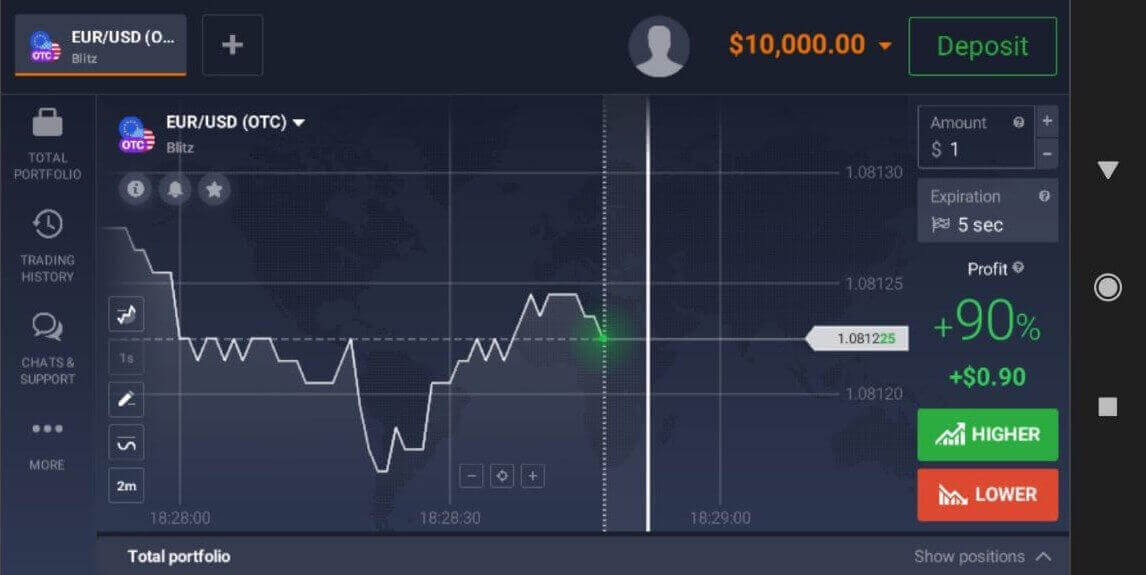
Accessing into the Exnova Android App
The Exnova app for Android lets you use its features on your phone easily. This guide shows you how to log in to the Exnova app on your Android device without any trouble, making sure you have a smooth and safe experience when you’re out and about.Step 1: Accessing the Google Play Store
Navigating to the Google Play Store. This is where you can download and install the Exnova app.
Step 2: Searching and Installing the Exnova App
In the Google Play Store’s search bar, type "Exnova" and tap the search icon. Locate the Exnova app from the search results and click on it. Then, tap the "Install" button to initiate the download and installation process.
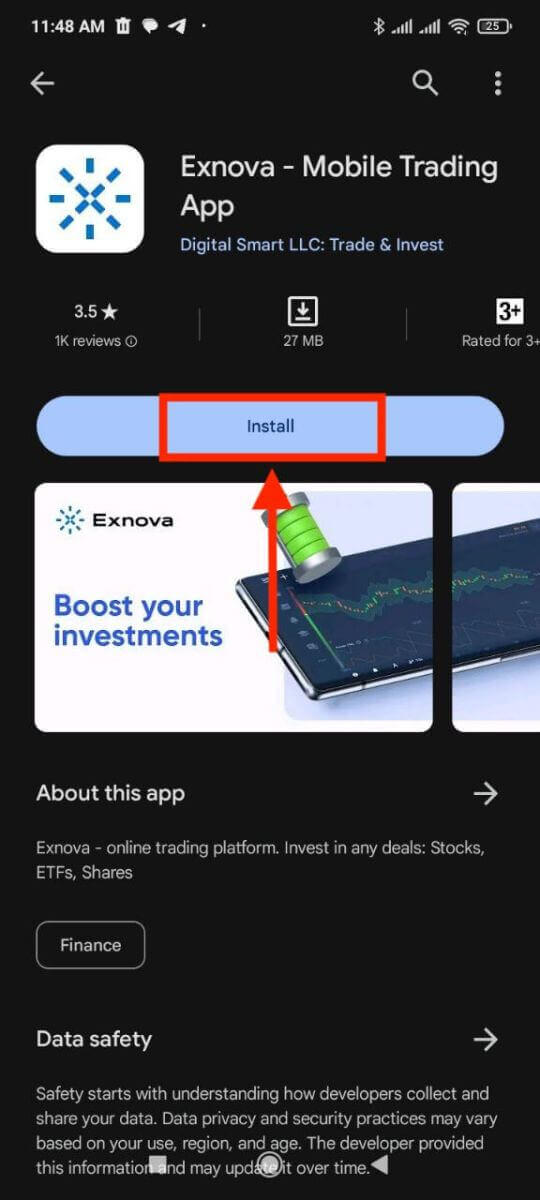
Step 3: Launching the Exnova App
After the app is successfully installed, tap the "Open" button to launch the Exnova app on your Android device.
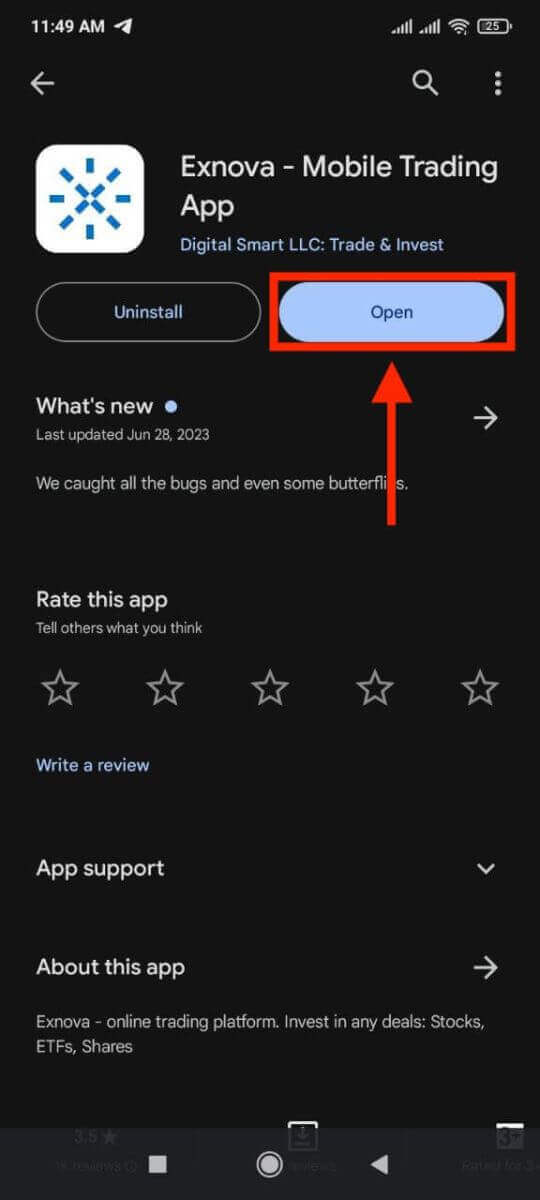
Step 4: Navigating to the Login Screen
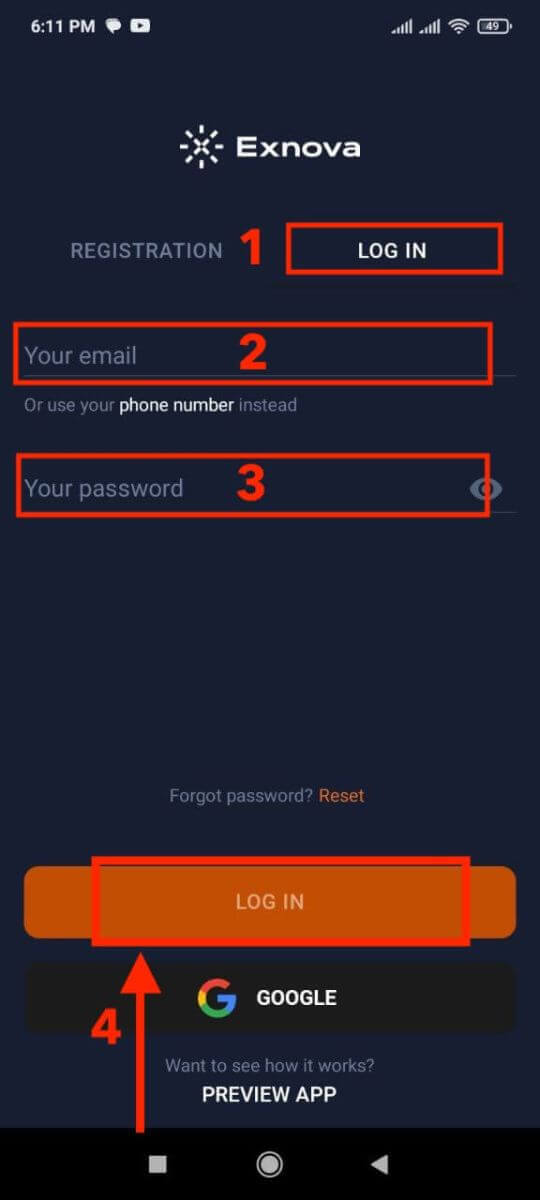
Upon launching the app, you will be presented with the app’s welcome screen. Locate and tap the "LOG IN" option to proceed to the login screen. On the login screen, enter your registered email and your password in the designated fields.
Step 5: Exploring the App Interface
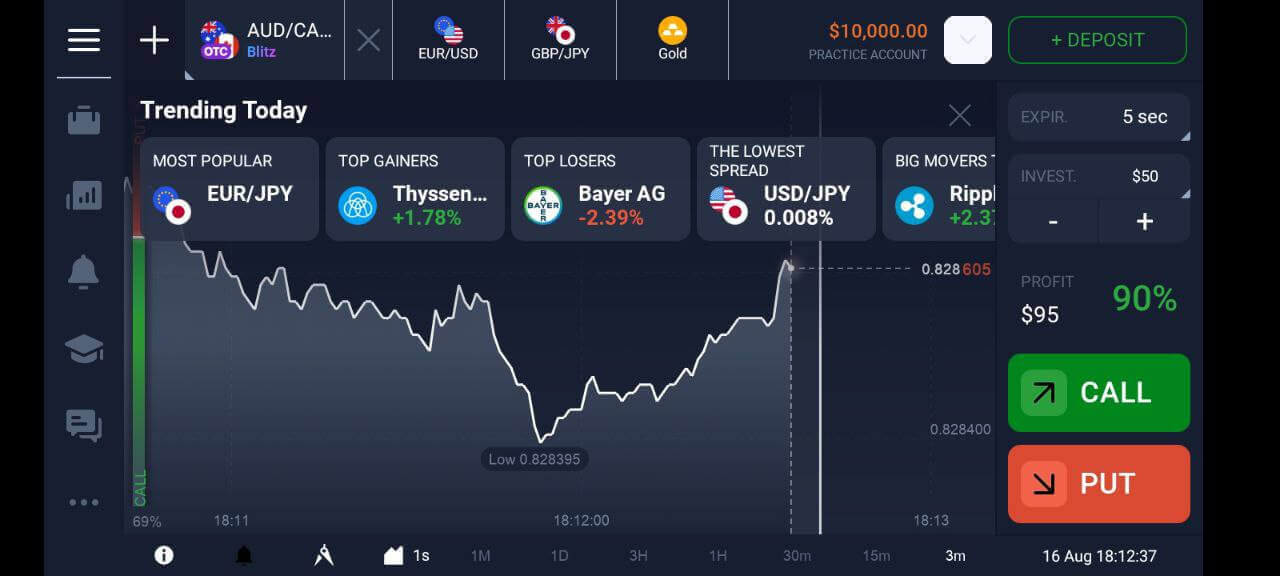
Upon successful login, you will be directed to the Trading interface. Take time to familiarize yourself with the interface, which provides access to various features, tools, and services.
Password Recovery from Exnova account
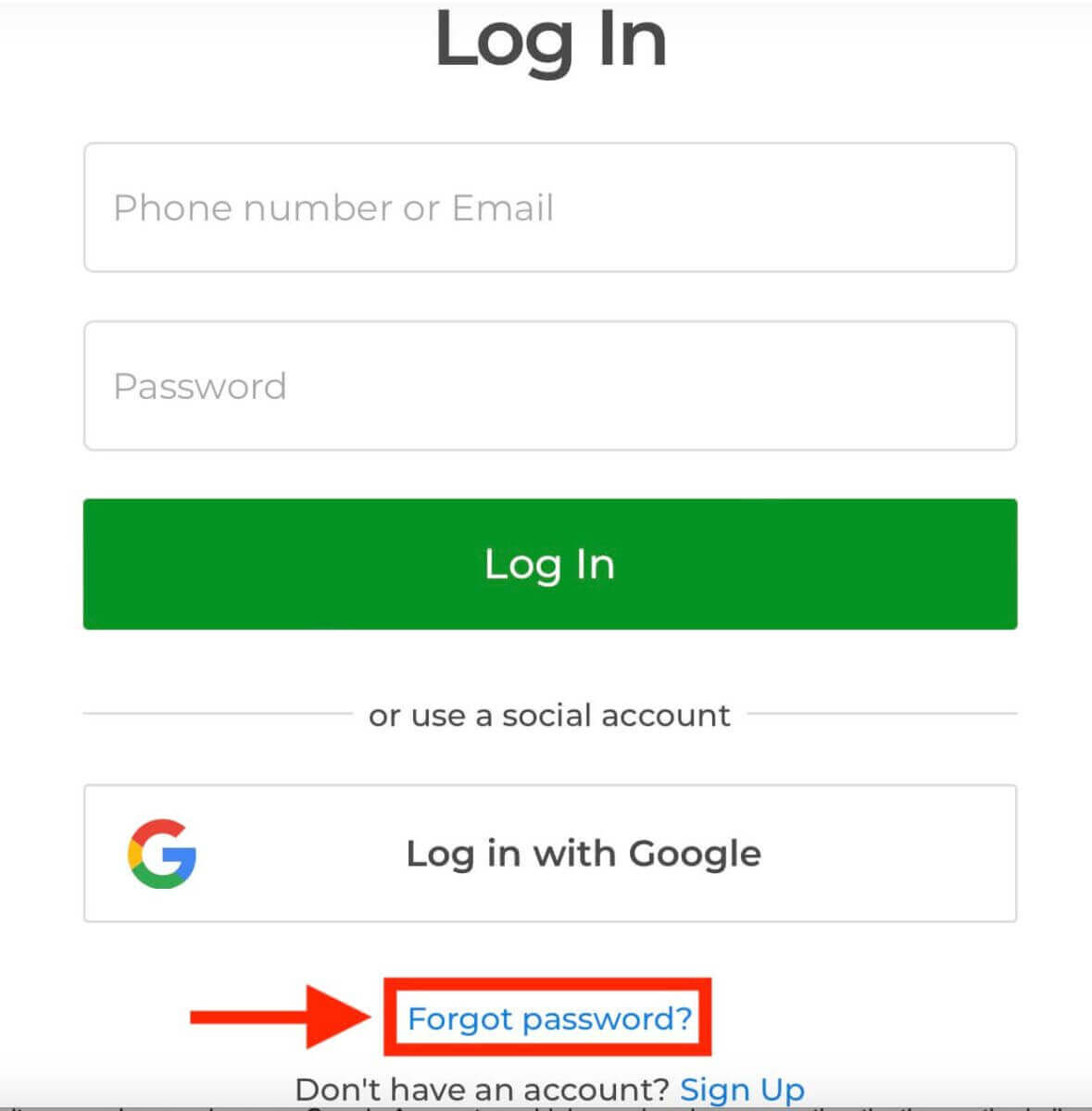
Forgetting your Exnova account password and not being able to get in can be really frustrating. But don’t worry, Exnova knows how important it is to make things easy for users. They’ve got a dependable way to help you get your password back. This guide will show you the steps to recover your Exnova account password, so you can get back to all your important stuff.1. Click on the "Forgot password?" link to initiate the password recovery process.
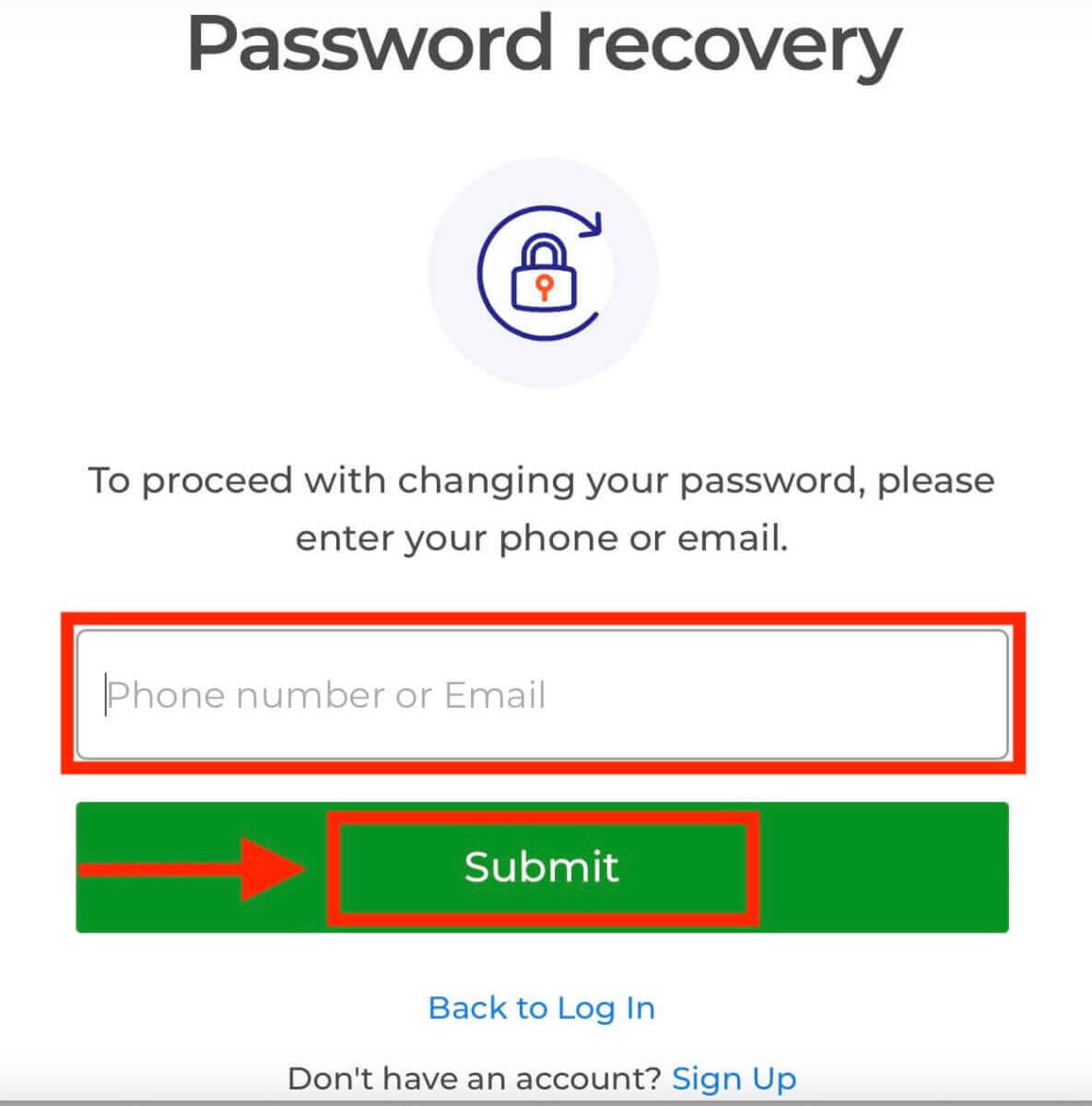
2. On the password recovery page, you will be prompted to enter the email address associated with your Exnova account. Carefully input the correct email address and proceed.
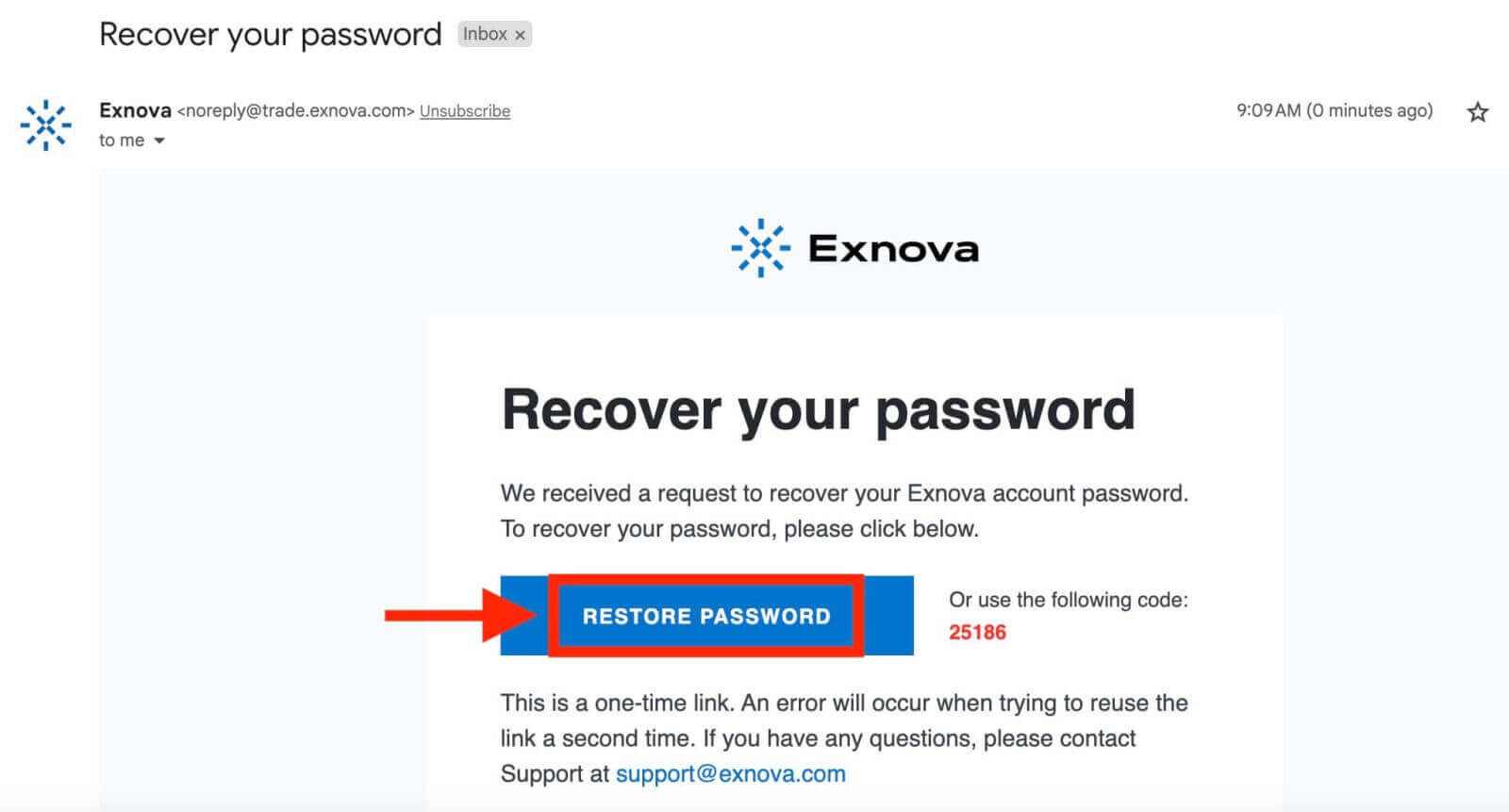
3. Exnova will send a password recovery link to the email address you provided. Check your inbox for an email from Exnova and click "RESTORE PASSWORD".
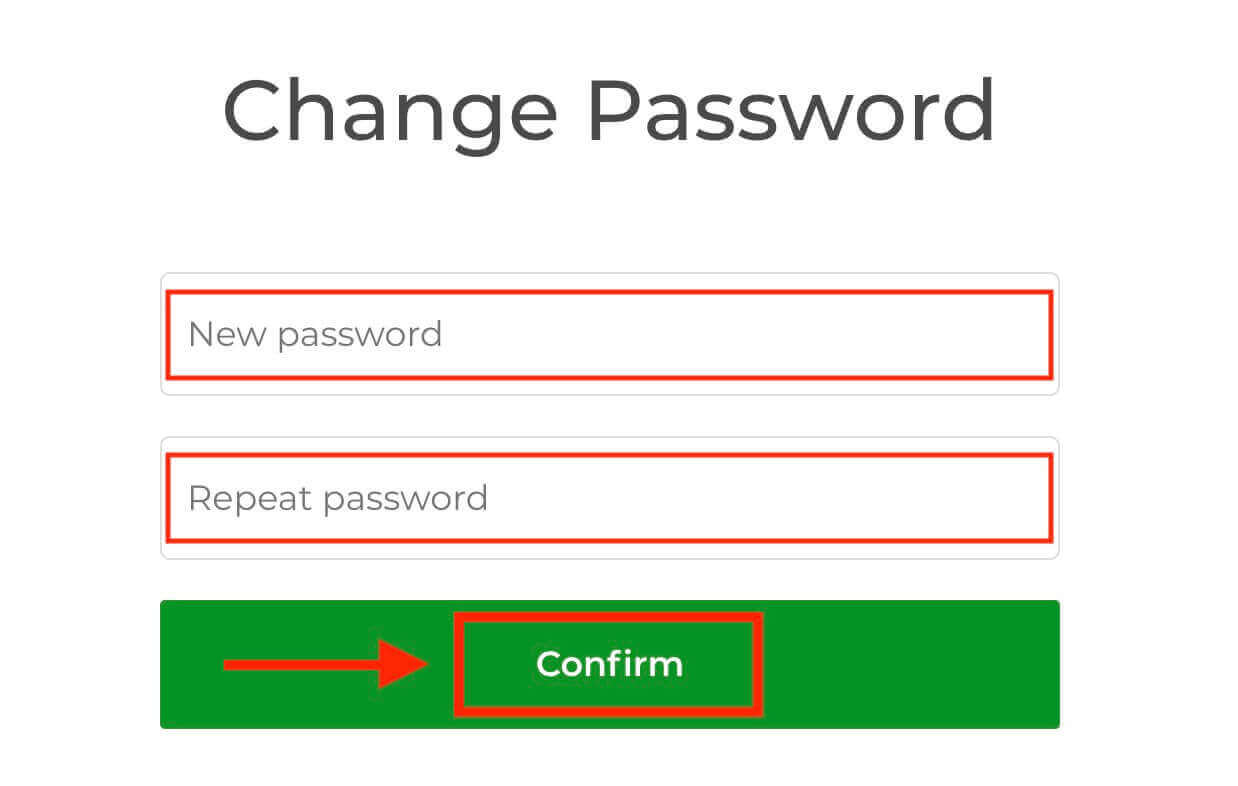
4. The link from the email will lead you to a special section on the Exnova website. Enter your new password here twice and click the "Confirm" button.
Once you’ve successfully reset your password, you can return to the Exnova login page and log in using your new credentials. Your account access will be restored, allowing you to resume your work and activities.
Two-Factor Authentication (2FA) on Exnova Login
Exnova really cares about keeping you safe. They have this super strong thing called Two-Factor Authentication (2FA). It’s like an extra lock for your account. This makes sure that only you can get into your Exnova account and do your trading stuff. It’s all about keeping your account safe and giving you confidence.To set up 2FA on Exnova, follow these steps:
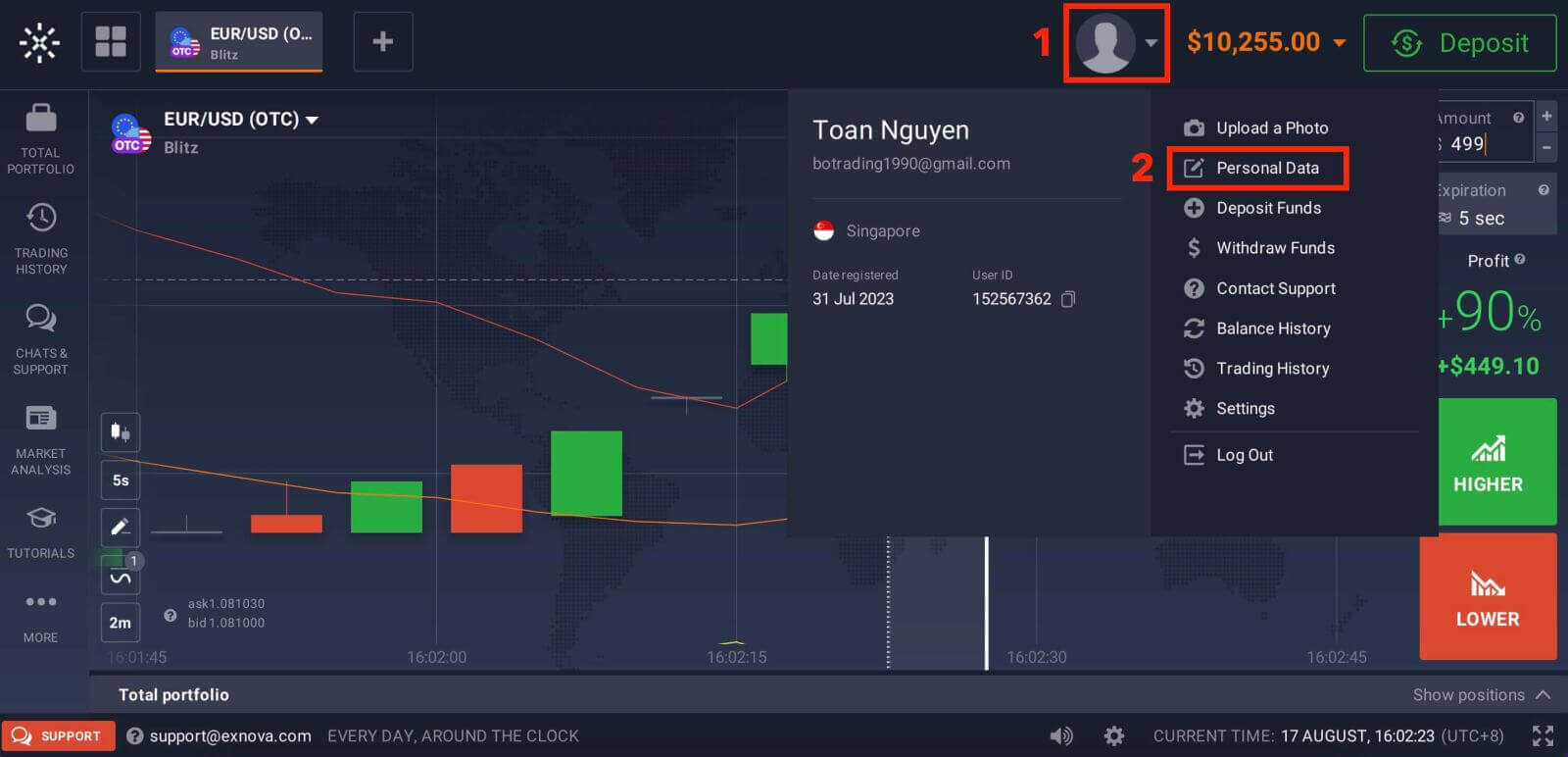
1. After logging in to your Exnova account, navigate to the account settings section. Typically, you can find this by clicking on your profile picture and clicking "Personal Data" from the dropdown menu.
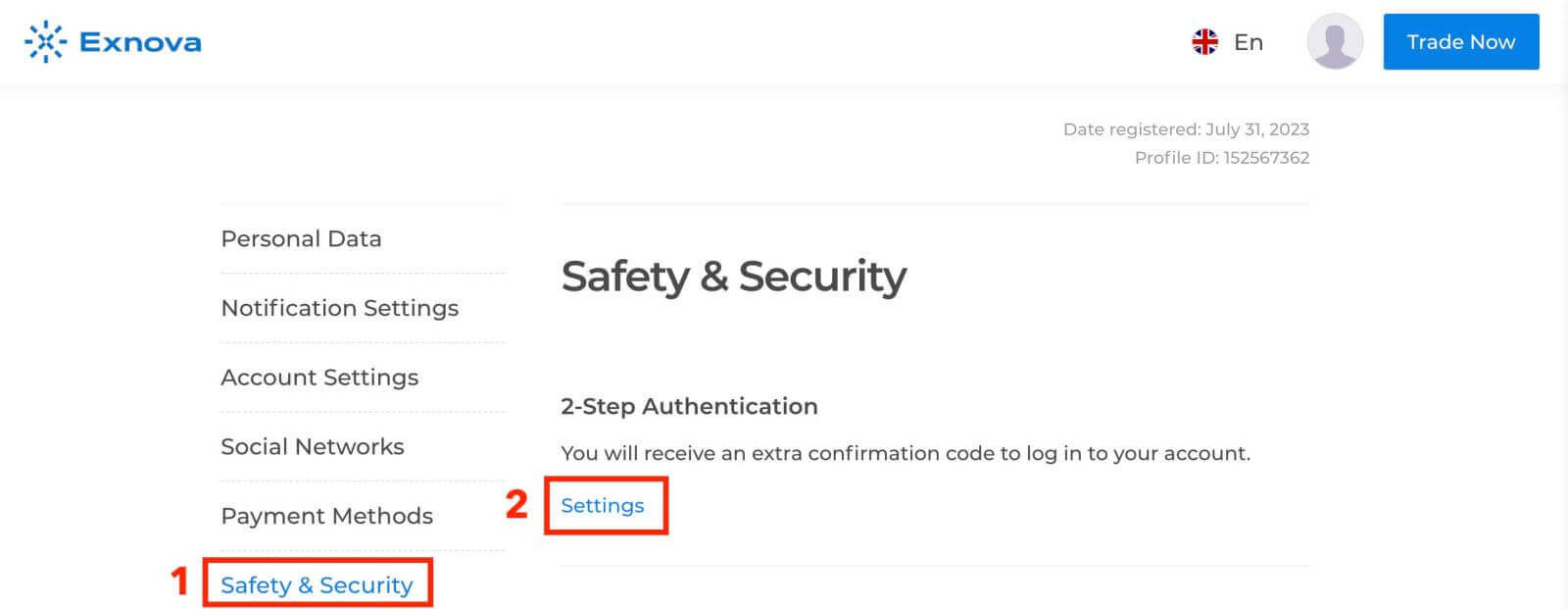
2. Click on the "Safety Security" tab in the main menu. Then, click "Settings".
3. Follow the instructions provided to complete the process.
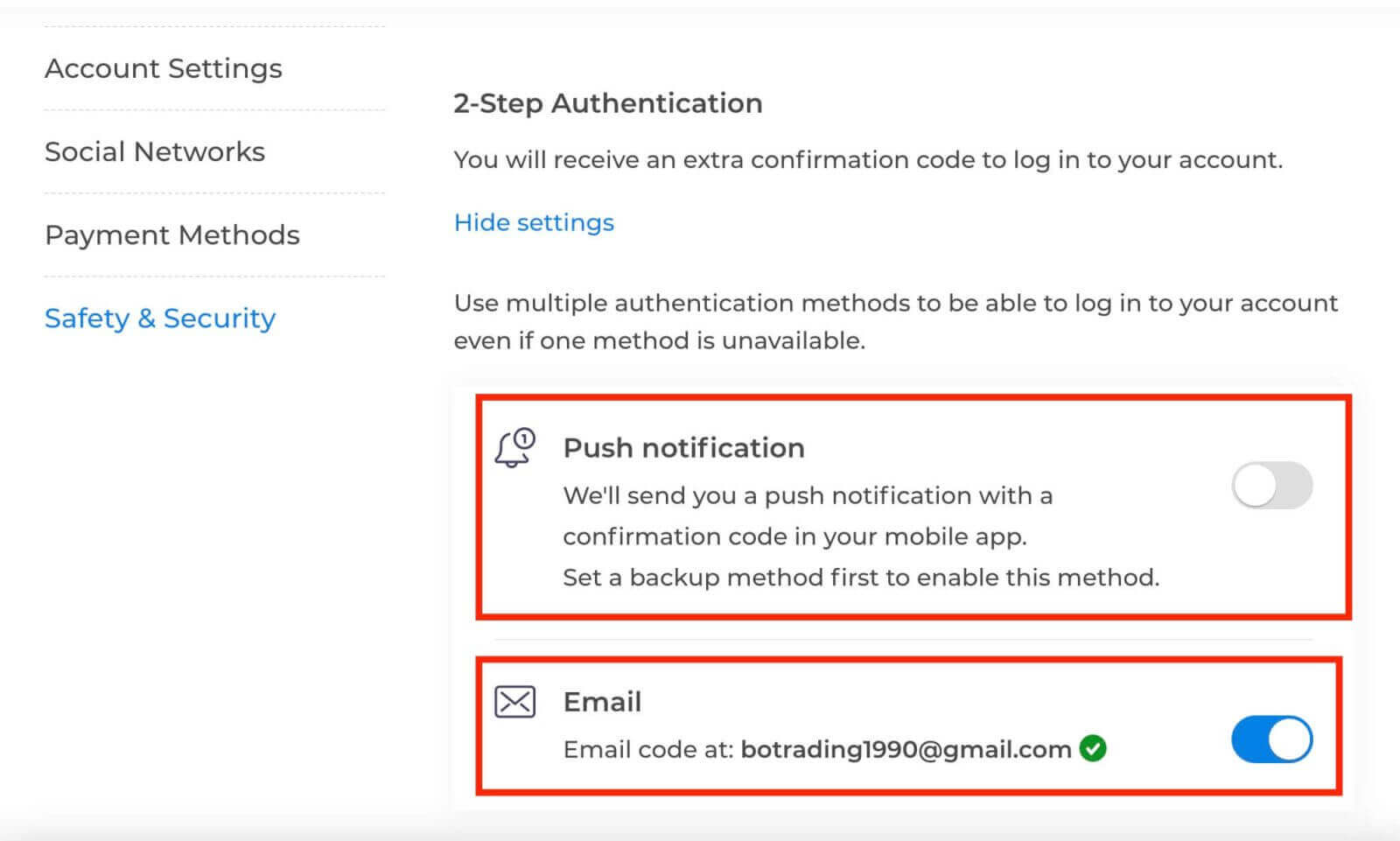
Two-factor authentication (2FA) is an essential security feature on Exnova. Once you have set up 2FA on your Exnova account, you will be required to enter a unique verification code every time you log in.
How to Deposit on Exnova
Deposit via Crypto (BTC, ETH, BNB, ADA, LTC, USDT) on Exnova
If you want to add money to your Exnova account using cryptocurrencies, you’re entering the world of decentralized finance. This guide shows you how to do it step by step, so you can easily put your cryptocurrency funds into your Exnova account.Step 1: Navigate to the Deposit Section
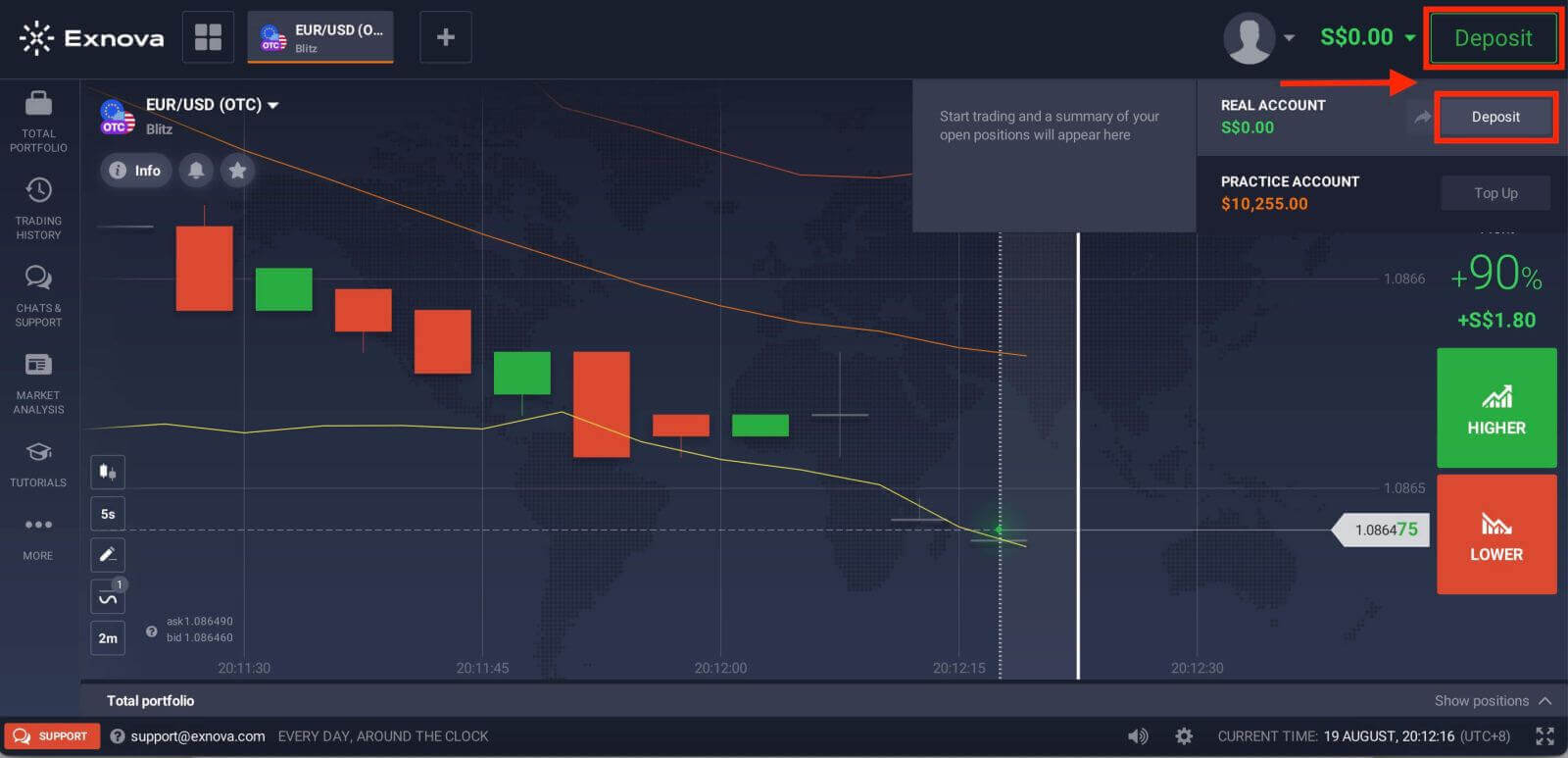
If you are in the trade room, press on the green ‘Deposit’ button. This button is located at the top right corner of the page.
Step 2: Select Cryptocurrency as Your Deposit Method
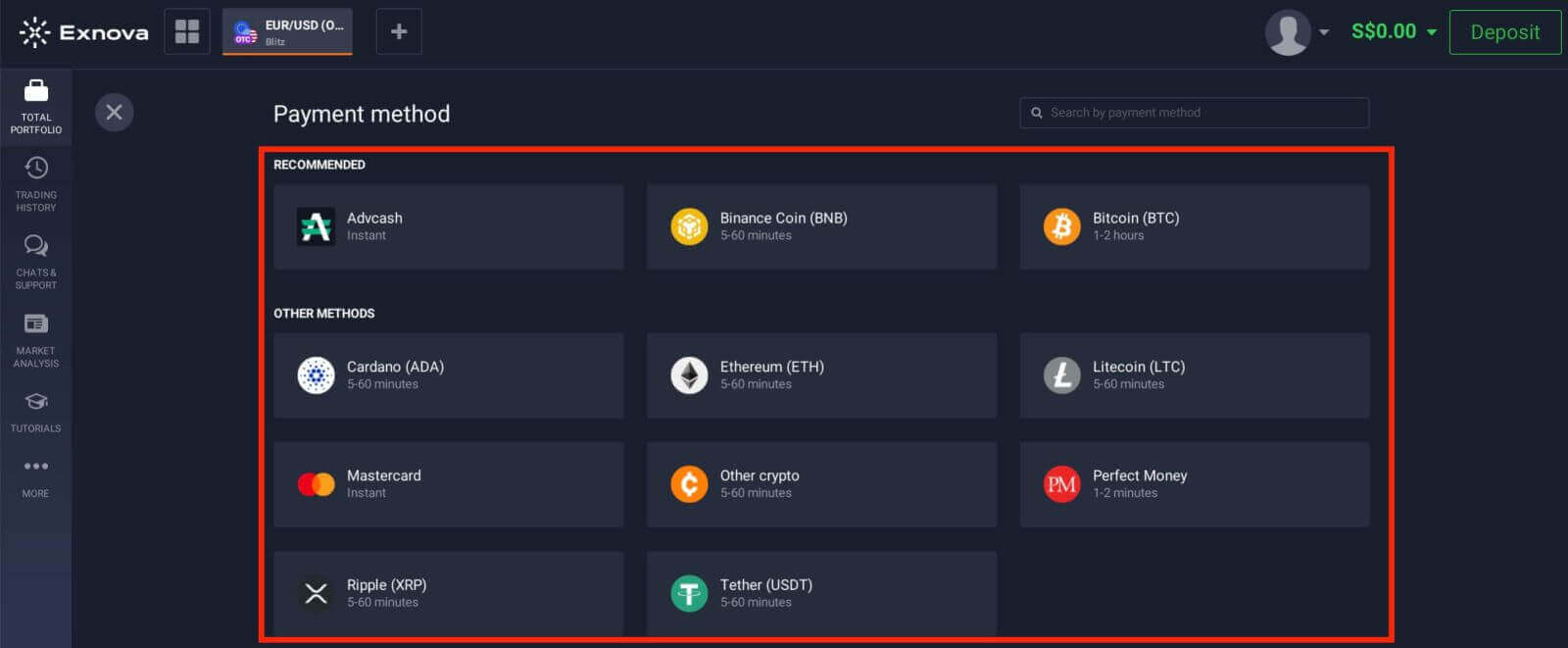
In the deposit section, you’ll be presented with various funding options. Exnova typically supports a variety of cryptocurrencies, such as Bitcoin (BTC), Ethereum (ETH), and more. Choose the "Cryptocurrency" option, which signifies your intent to fund your account using digital assets.
Step 3: Enter Deposit Amount
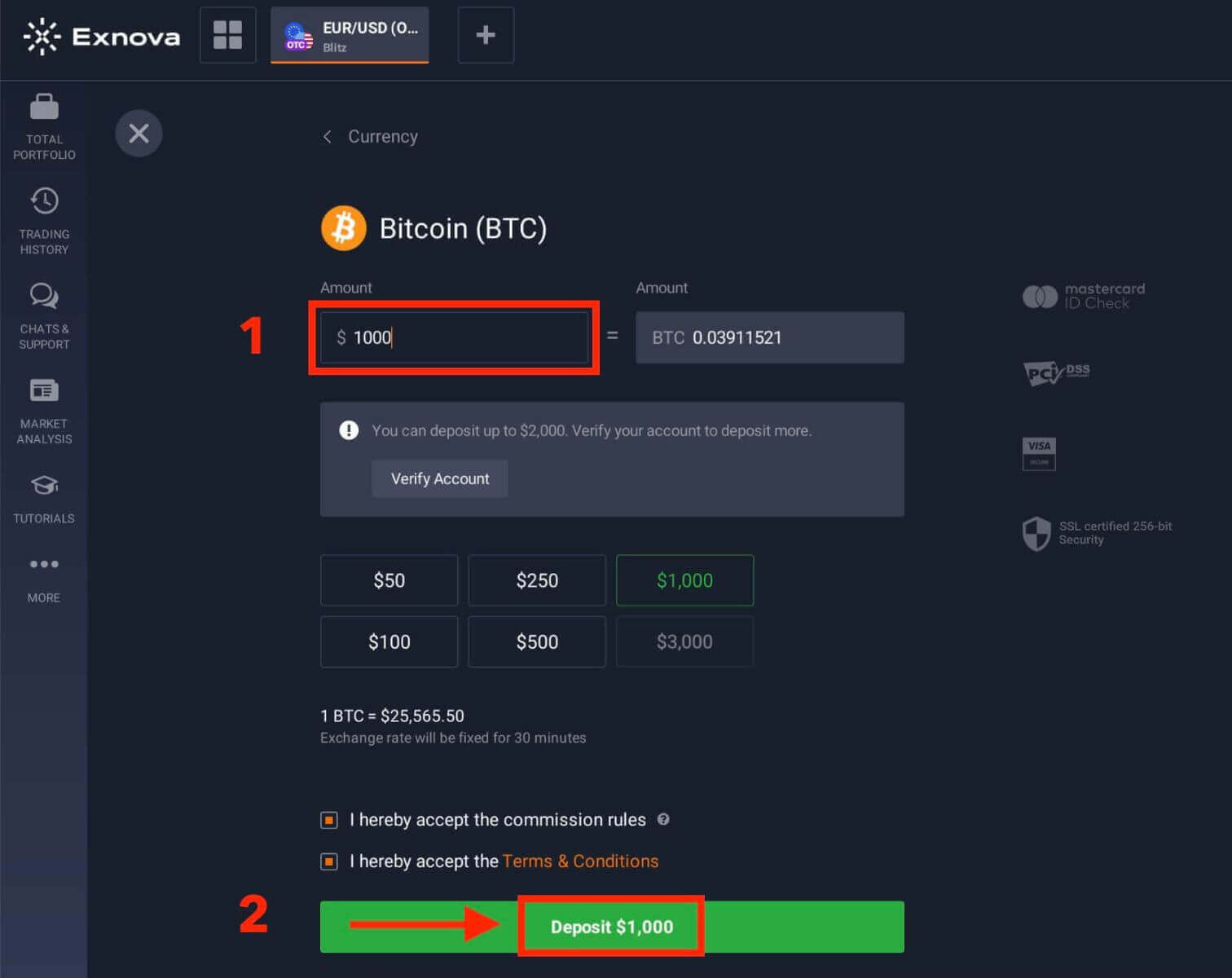
Enter the amount you wish to deposit into your Exnova account. Exnova has minimum and maximum deposit limits, so ensure your deposit falls within these boundaries. The maximum deposit amount is $2.000 and the minimum deposit amount is $50 for Bitcoin.
Step 4: Generate a Deposit Address
For each supported cryptocurrency, Exnova provides a unique wallet address to which you will send your funds. This address is crucial for ensuring the secure and accurate transfer of your cryptocurrency. Copy the provided wallet address.
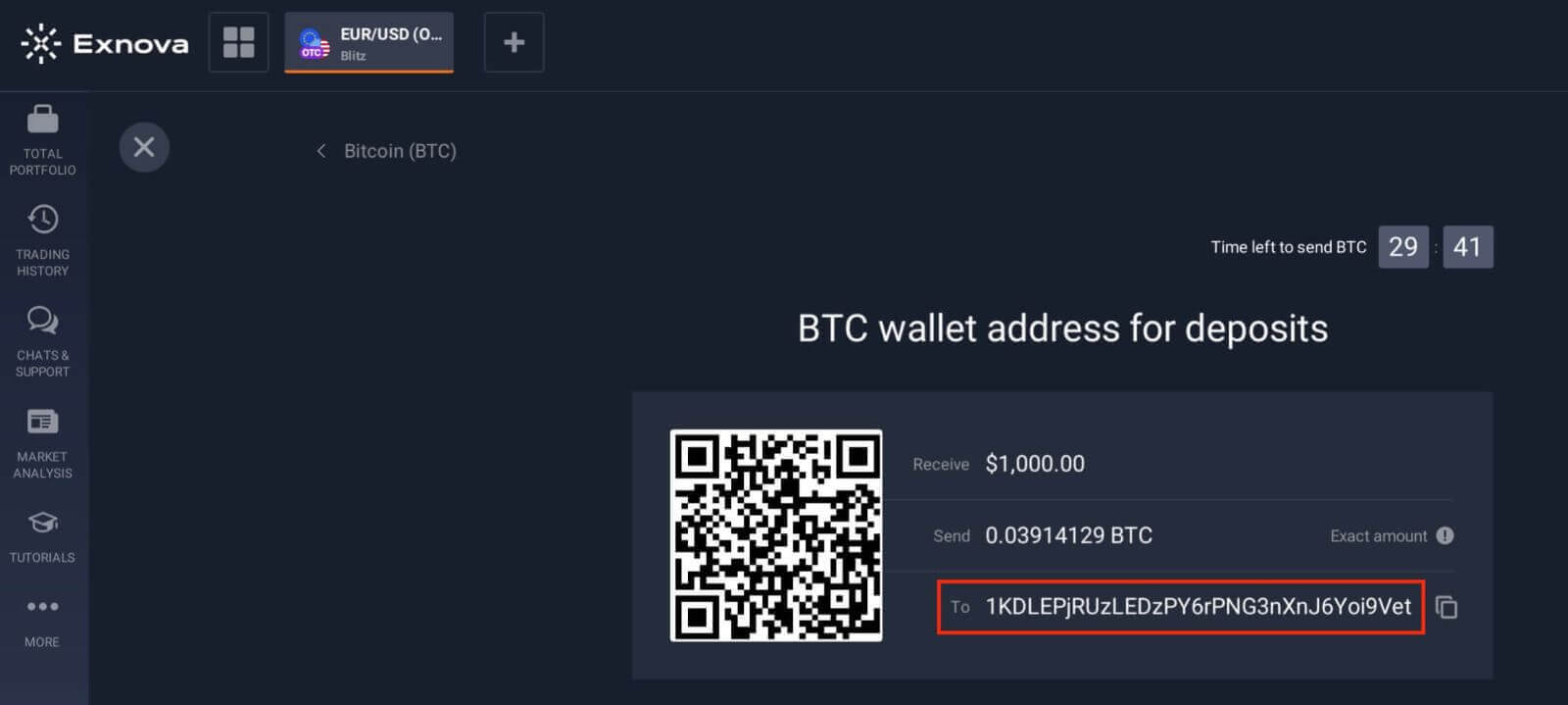
Step 5: Initiate the Cryptocurrency Transfer
Open your personal cryptocurrency wallet or exchange account from which you’re sending the funds. Initiate a transfer to the Exnova wallet address you copied in the previous step. Ensure you accurately input the address and double-check all details before confirming the transfer.
Step 6: Verify and Confirm
Once the transfer is initiated, you may need to wait for the required number of confirmations on the blockchain before Exnova processes the deposit. This helps ensure the security and integrity of the transaction.
Step 7: Conversion and Availability
Exnova may convert the cryptocurrency deposit into the platform’s native currency or another applicable currency. This conversion enables you to seamlessly engage in various financial activities on the platform.
Deposit via Bank Card (Mastercard) on Exnova
Adding money using your Mastercard on Exnova is really simple. This way, your funds are ready for you to use for investing and other money-related things.Step 1: Account Setup and Login
Before you can deposit money on Exnova, ensure that you have successfully created an account and logged in. If you haven’t registered yet, visit the Exnova website and follow the registration process.
Step 2: Navigate to the Deposit Section
Upon logging in, you will be directed to your dashboard. Click on the "Deposit" section.
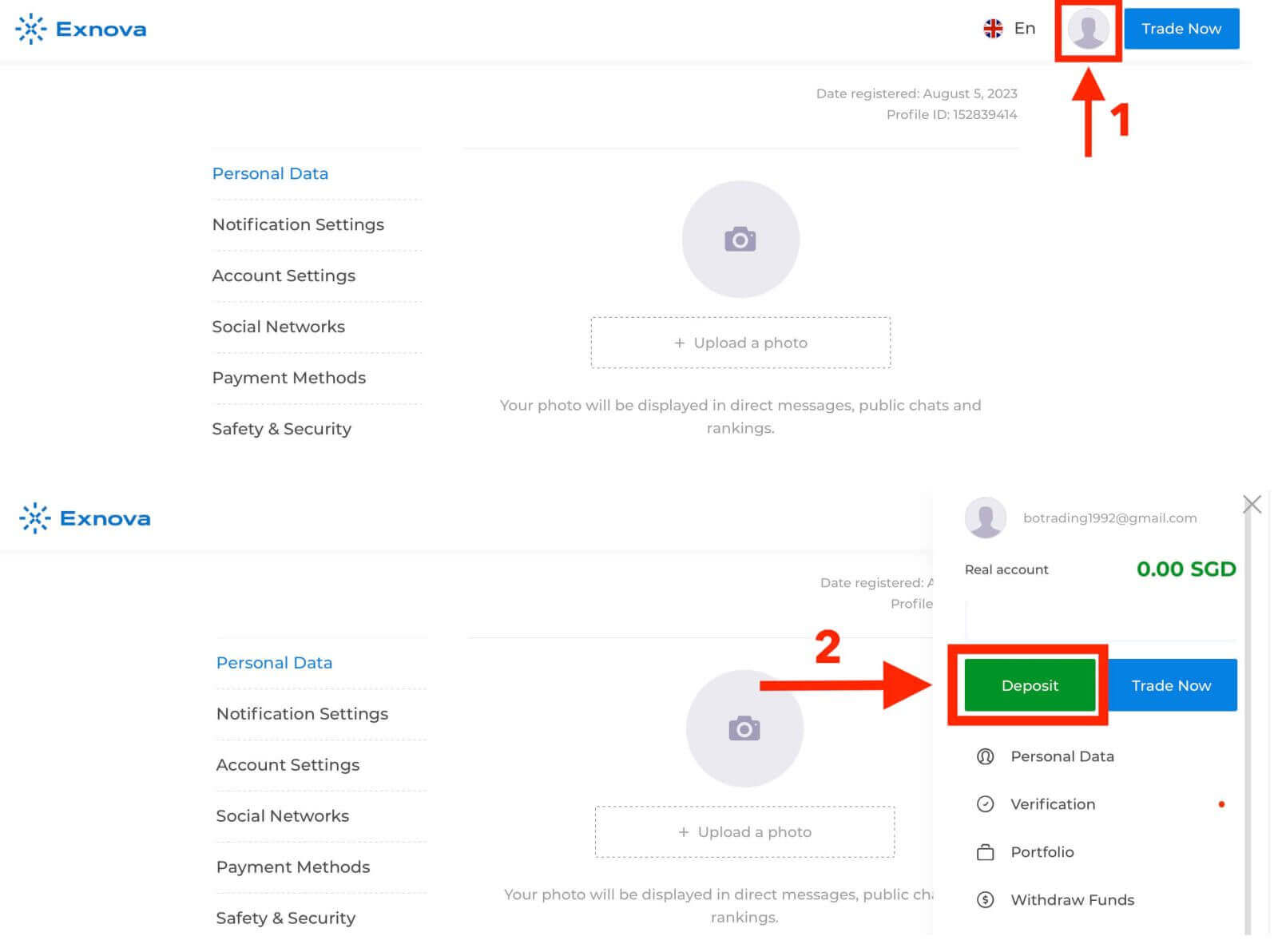
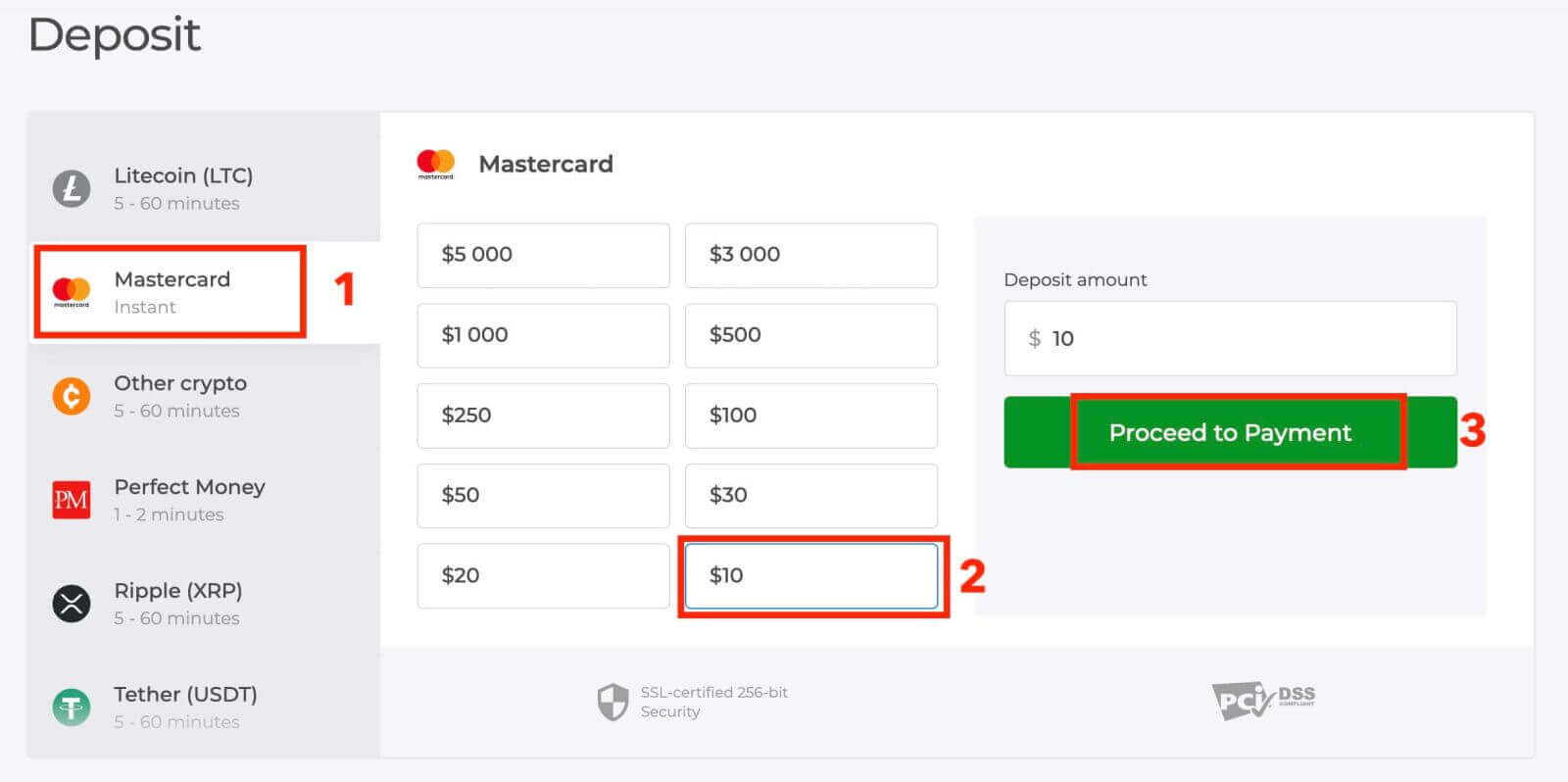
Step 3: Choose Your Preferred Payment Method
Exnova offers a variety of payment methods for depositing money. Select the "Mastercard" payment method.
Step 4: Enter Deposit Amount
Specify the amount you wish to deposit into your Exnova account. Exnova has minimum and maximum deposit limits, so ensure your deposit falls within these boundaries. The maximum deposit amount is $1.000.000 and the minimum deposit amount is $10 for Mastercard.
Step 5: Provide Payment Details
You will be redirected to a new page where you will be requested to enter your card information. Exnova takes security seriously, so your sensitive information is encrypted and handled with the utmost care.
- Cardholder Name: The name as it appears on the Mastercard.
- Card Number: The 16-digit number on the front of the card.
- Expiry Date: The month and year when the card expires.
- CVV/CVC: The three-digit security code on the back of the card.
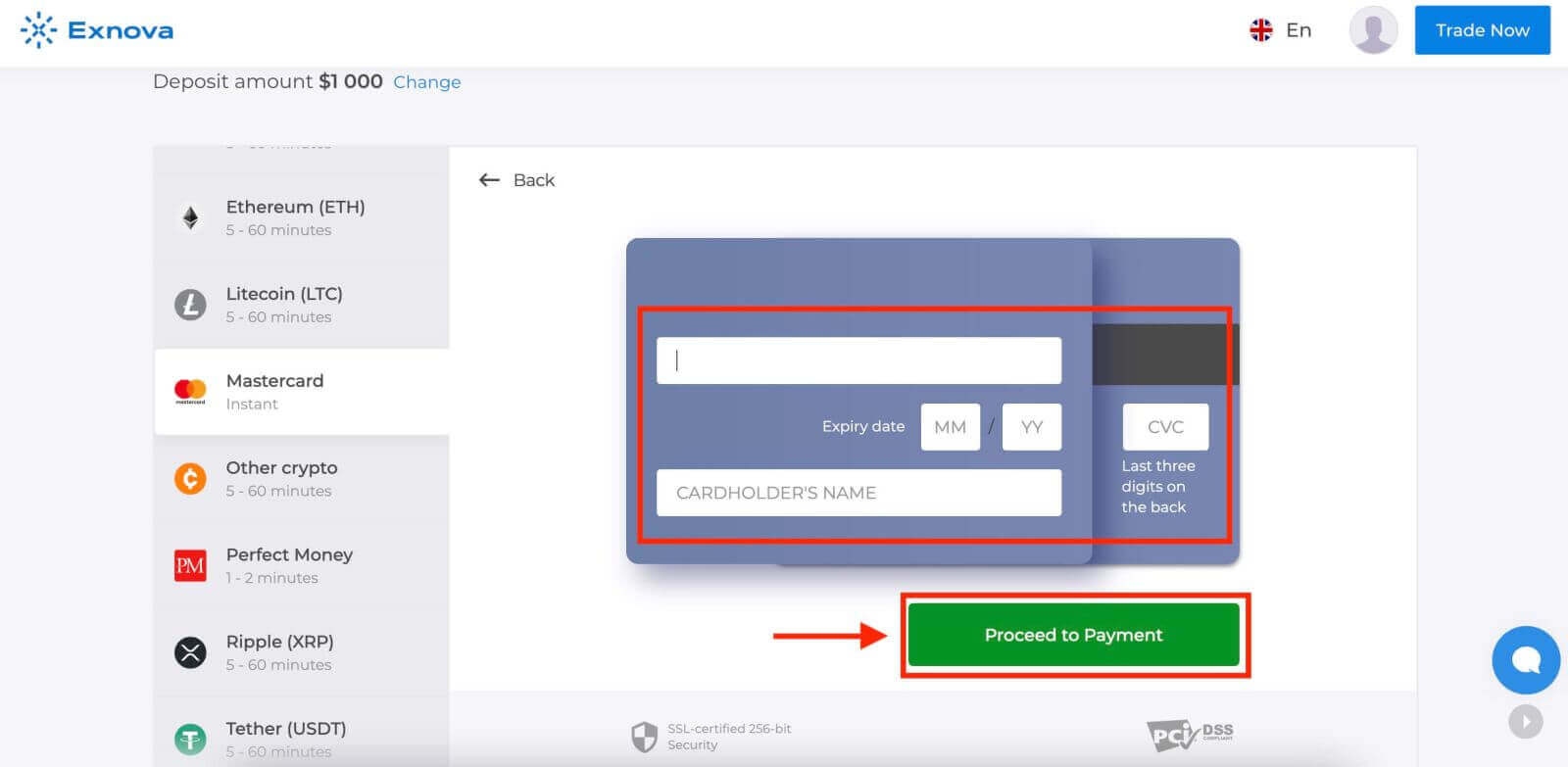
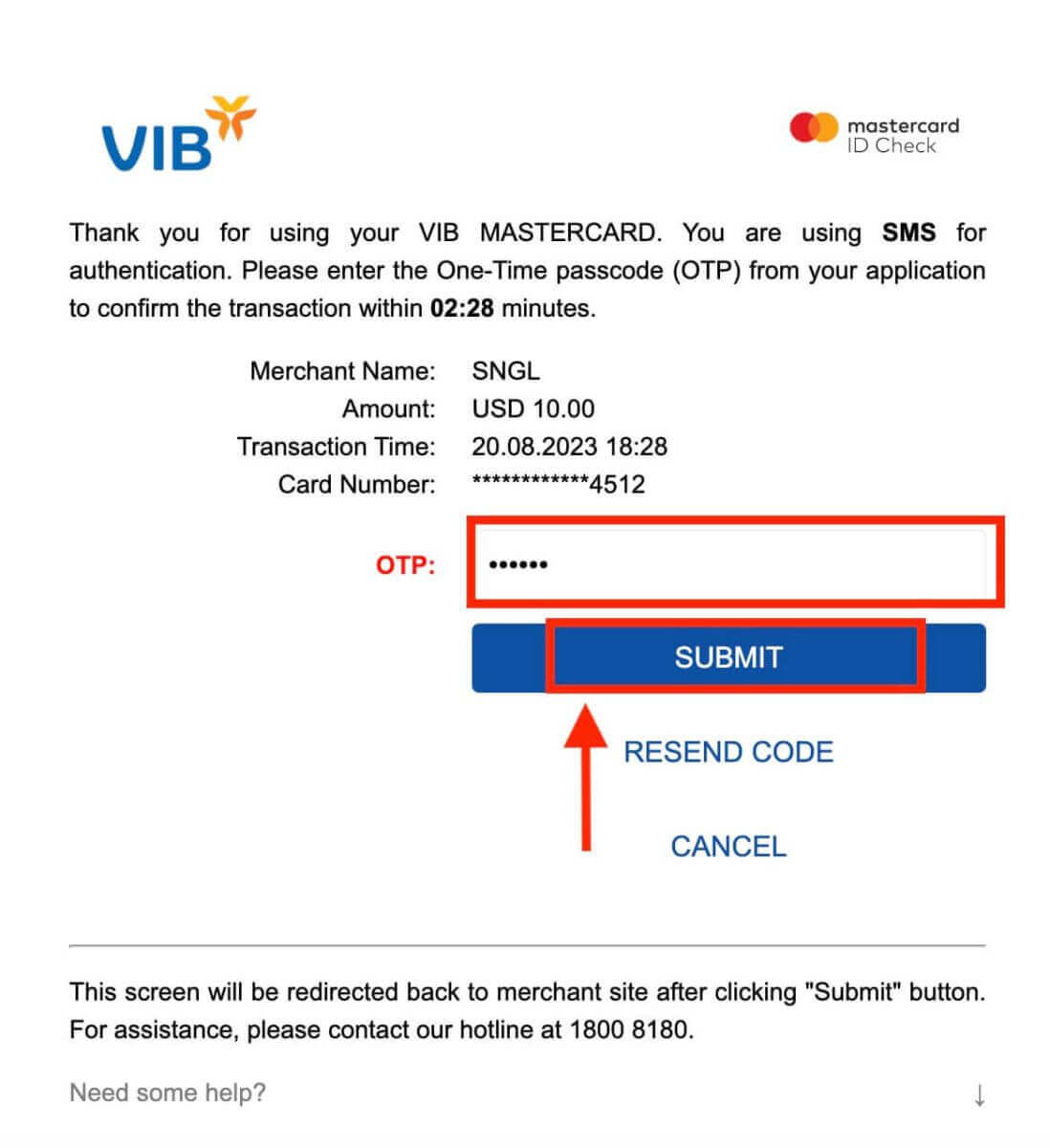
Once you’ve completed all the necessary steps, click the "Submit" button.
Step 6: Confirmation and Notification
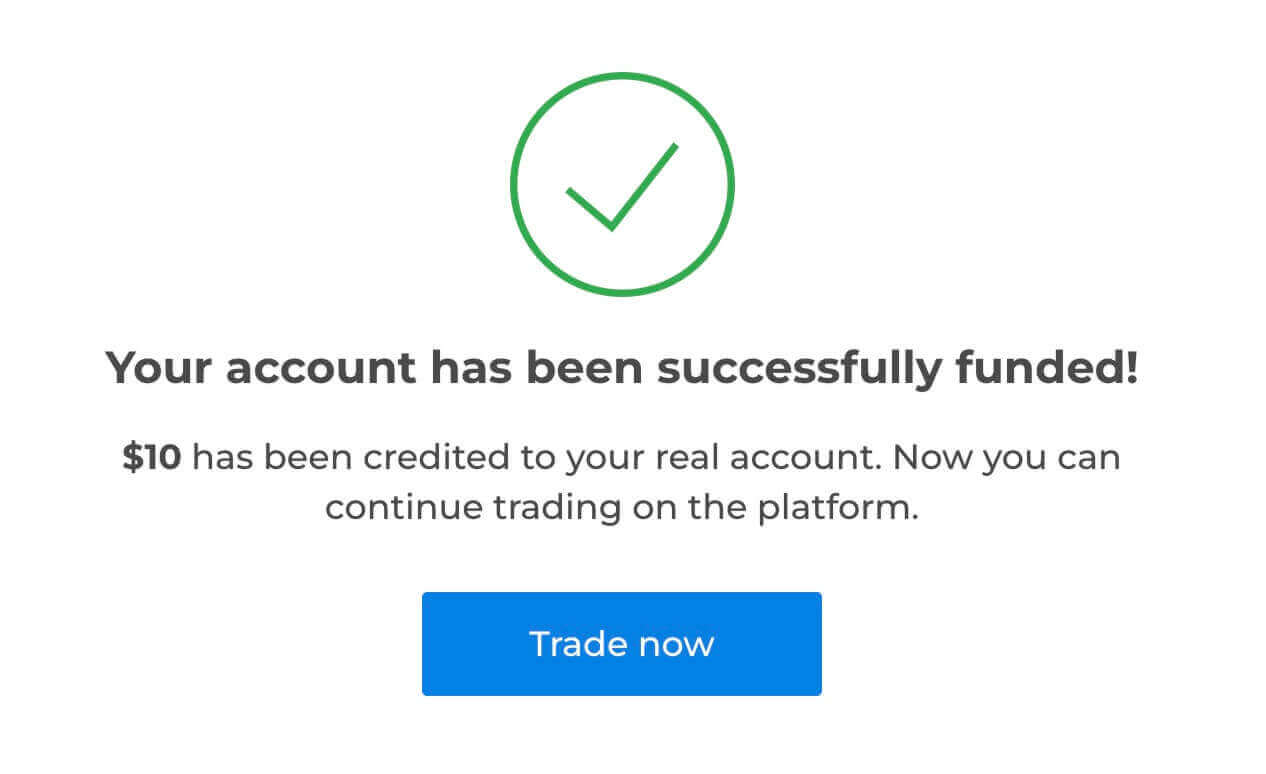
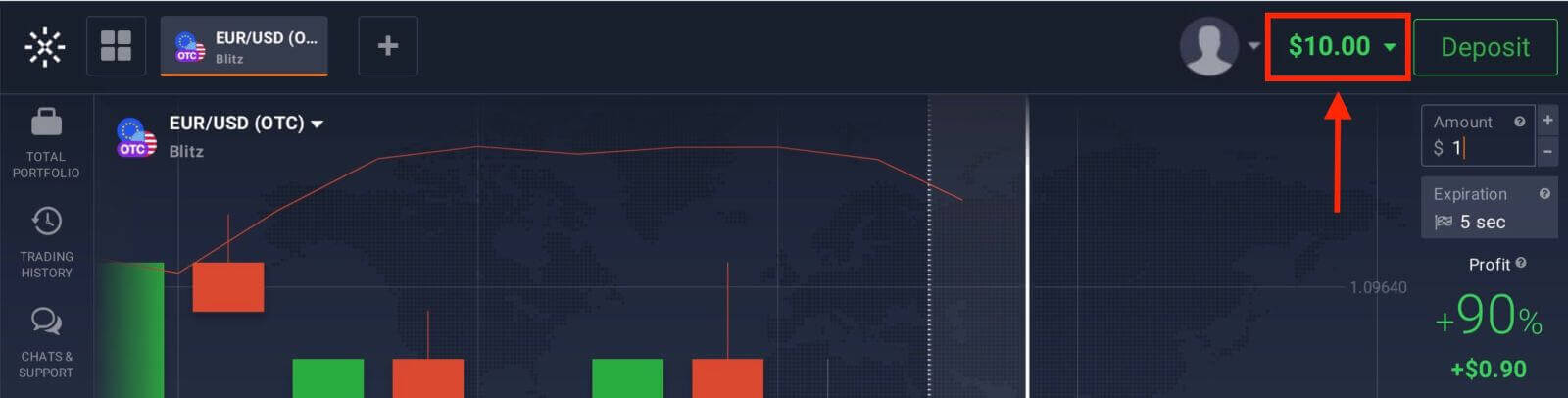
After the deposit is processed successfully, you’ll receive a confirmation notification on the platform. Additionally, you might receive an email or SMS confirming the deposit transaction.
Deposit via E-wallets (Advcash, Perfect Money) on Exnova
A really easy way to add money is by using e-wallets. This guide explains step by step how to put money into your Exnova account using the e-wallet you like the most.Step 1: Navigate to the Deposit Section
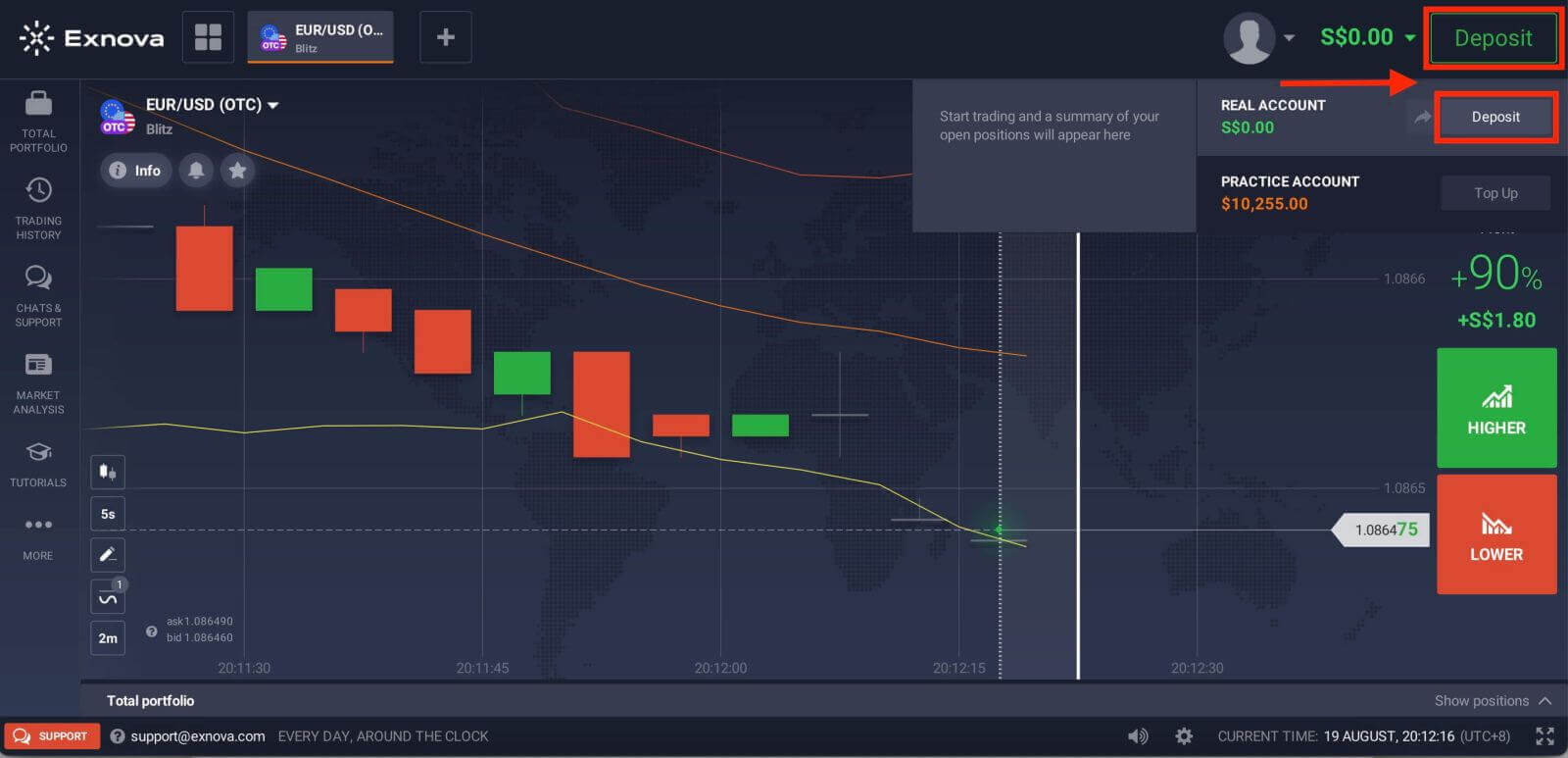
If you are in the trade room, press on the green ‘Deposit’ button. This button is located at the top right corner of the page.
Step 2: Select E-Wallets as Your Deposit Method
From the list of supported e-wallets, select the one you wish to use for your deposit. Exnova typically supports popular e-wallets like Advcash, Perfect Money and more. Click on your chosen e-wallet to proceed.
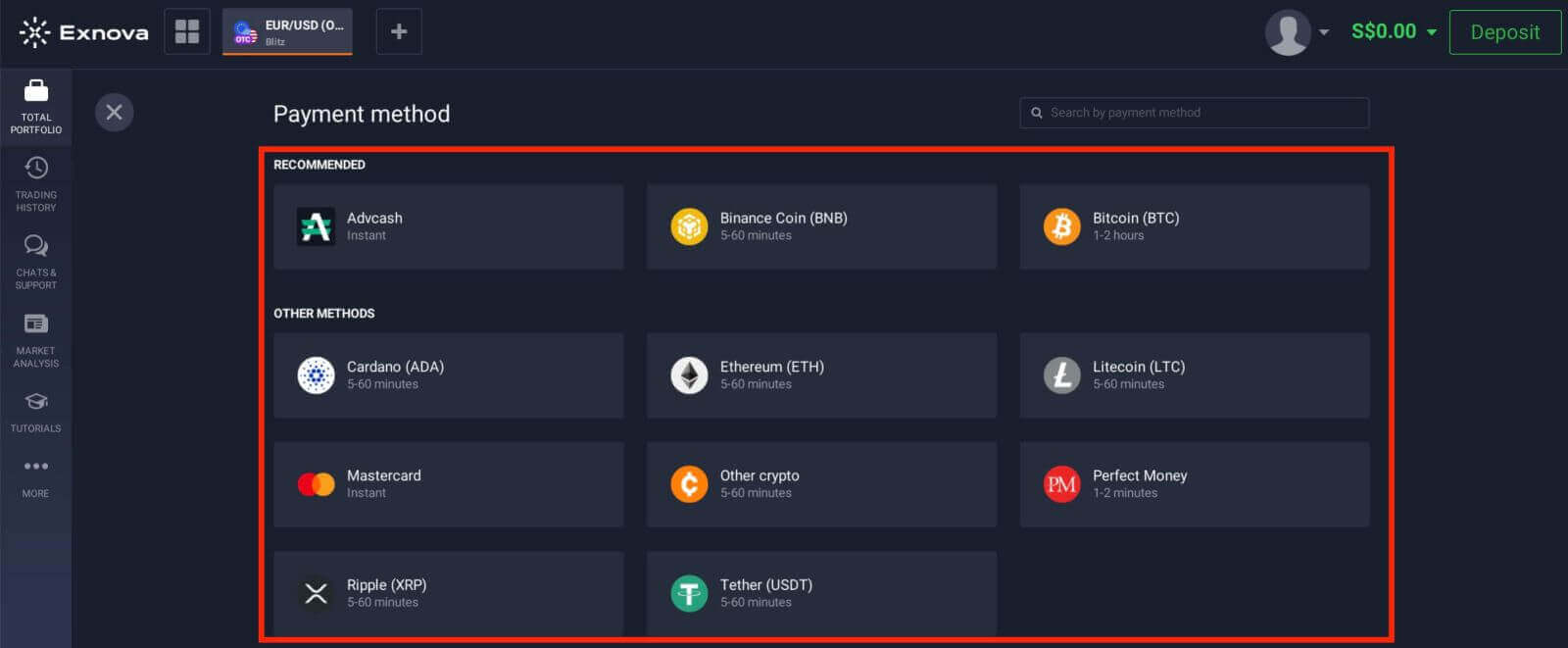
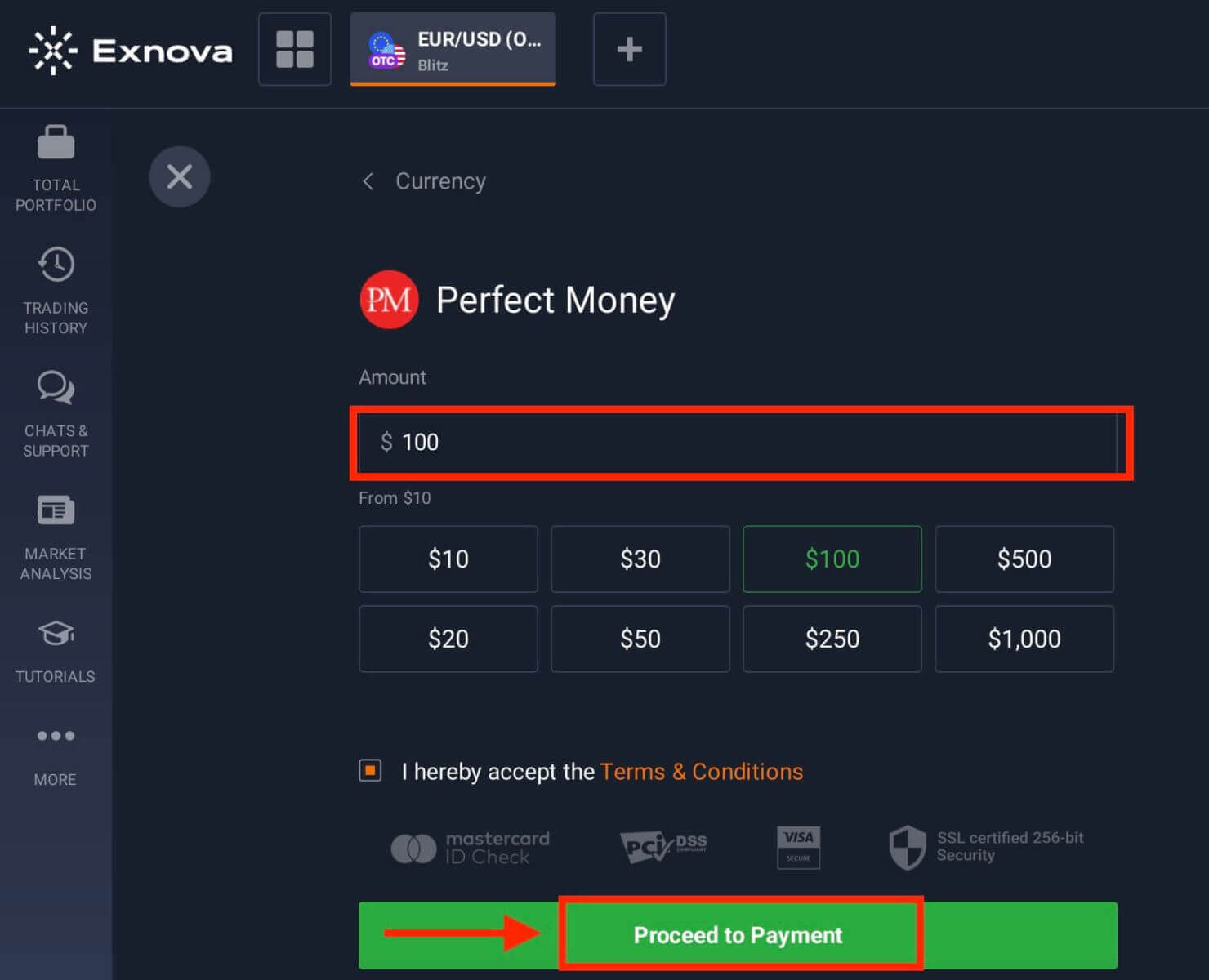
Step 3: Specify the Deposit Amount
Enter the amount you intend to deposit into your Exnova account. Make sure your chosen amount adheres to Exnova’s minimum and maximum deposit limits. The maximum deposit amount is $1.000.000 and the minimum deposit amount is $10.
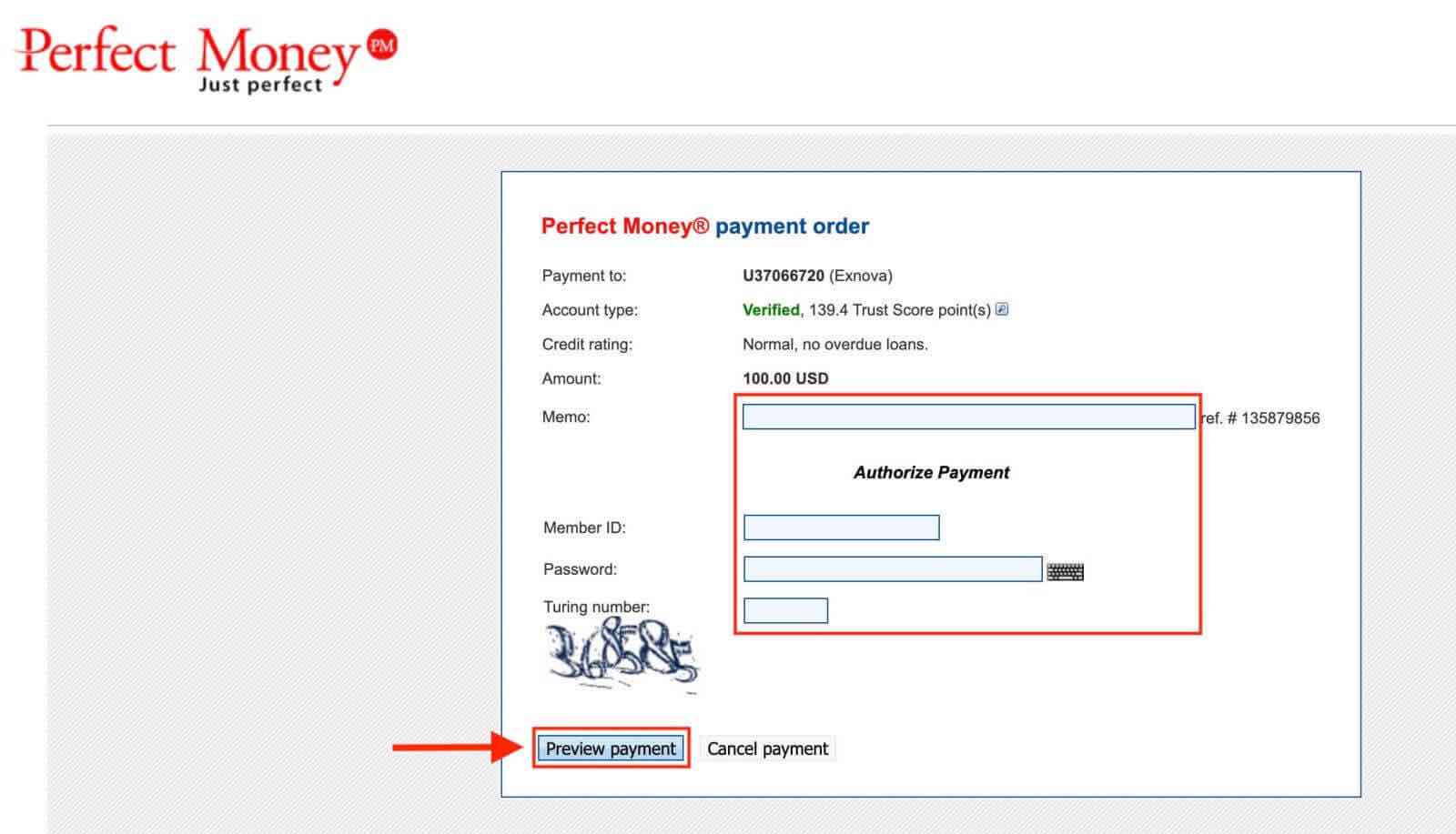
Step 4: Authenticate with Your E-Wallet
You will be directed to your chosen e-wallet’s interface to complete the authentication process. Log in to your e-wallet account using your credentials to confirm the transaction.
Step 5: Confirmation and Notification
Upon successful completion, you will receive an on-screen confirmation within the Exnova platform. Additionally, Exnova may send an email or notification to notify you of the deposit transaction.